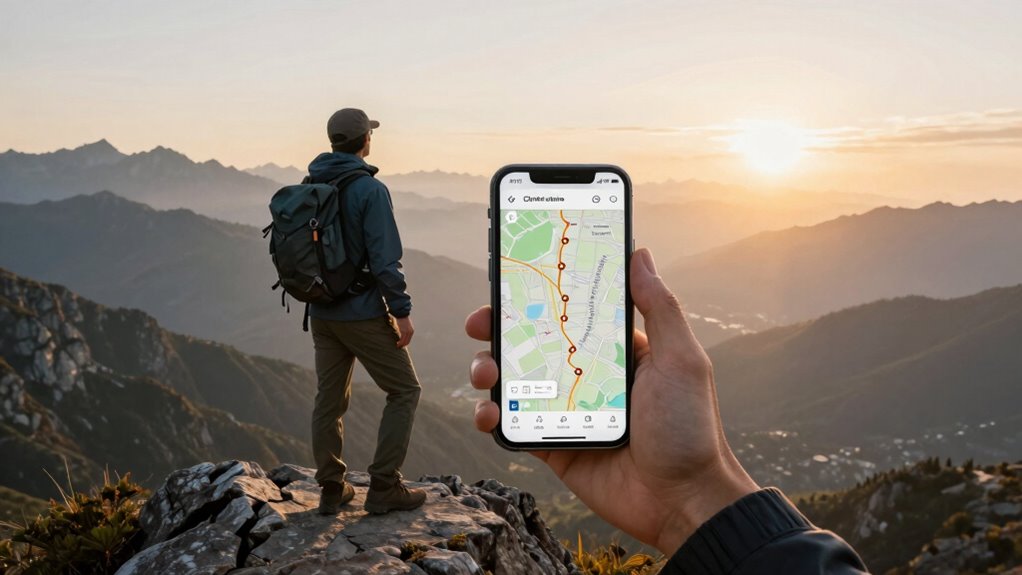

To set up offline maps for reliable navigation when signals die, start by downloading maps of your planned areas ahead of time, ensuring they are current and include recent updates. Use apps with offline mode features and keep your device’s GPS active. Regularly update your map data and optimize your device by disabling unnecessary background apps and lowering brightness to conserve power. Want to know how to maximize your offline navigation and battery life further? Keep exploring to find out.
Key Takeaways
- Download and update maps of your travel areas before departure to ensure current navigation data.
- Choose apps that support offline navigation with features like voice guidance and turn-by-turn directions.
- Save sufficient map coverage for your route, including points of interest and recent road changes.
- Optimize device settings by disabling background apps, lowering brightness, and enabling battery-saving modes.
- Regularly update offline maps to maintain accuracy and reliability during signal loss or remote trips.

Offline maps navigation offers a reliable way to find your way even when you’re without an internet connection. When you’re traveling through remote areas or in places with poor signal, relying solely on online maps can leave you stranded or lost. That’s where offline maps come in, allowing you to download the necessary map data beforehand and access it anytime, regardless of connectivity. To guarantee your offline navigation experience is smooth, it’s important to keep your map data updates current. Many map providers regularly release updates that improve accuracy, add new roads, and fix errors. Updating your maps before a trip ensures you have the latest information, reducing the risk of getting lost due to outdated data. These updates can be downloaded when you’re connected to Wi-Fi, so you don’t eat into your mobile data or drain your battery unnecessarily during your journey. Additionally, map data updates are crucial for maintaining the accuracy and reliability of your navigation, especially in rapidly changing environments. Speaking of battery, offline maps are often designed with battery optimization in mind. Since they don’t rely on real-time data fetching from the internet, they generally consume less power than active online navigation. However, some features, like voice guidance or GPS tracking, can still drain your battery if not managed carefully. To maximize battery life, disable unnecessary features, such as background apps or Bluetooth, and lower screen brightness when possible. Using offline maps also means you avoid the constant background activity that online apps can generate, which helps preserve your device’s power. This is especially useful during long trips where charging options might be limited. Additionally, selecting a navigation app that prioritizes battery optimization can make a notable difference, allowing you to navigate for hours without worrying about your device dying mid-route. Preparing your device for offline navigation involves a few simple steps. First, download the specific maps of the areas you plan to visit, making sure they’re up-to-date to include recent road changes and points of interest. Many apps allow you to select regions or countries, so you only download what you need, saving storage space. Once downloaded, you can use the maps offline seamlessly, with features like turn-by-turn directions, landmarks, and voice prompts still functioning perfectly. Always double-check that your maps are current before heading out, especially if you’re traveling through unfamiliar territory. This way, you’ll have confidence in your navigation, and you won’t be caught off guard by missing or outdated data. By combining timely map data updates with smart battery optimization strategies, offline maps become an indispensable tool for any traveler seeking dependable navigation without risking signal loss or excessive power drain.
Top picks for "offline maps navigation"
Open Amazon search results for this keyword.
As an affiliate, we earn on qualifying purchases.
Frequently Asked Questions
How Do I Update Offline Maps Regularly?
To keep your offline maps current, you should regularly check for updates using your app’s map update methods, like automatic updates or manual downloads. The map update frequency depends on your app, but most recommend updating every few months or when prompted. You can set your device to auto-update maps or manually download updates through the app’s settings, ensuring you always have the latest navigation data when signal drops.
Can Offline Maps Include Real-Time Traffic Information?
Imagine cruising down a quiet road, suddenly faced with unexpected traffic jams ahead. You wonder if offline maps can keep you updated—yes, they can. Some offline maps include stored traffic data, providing limited real-time traffic info that enhances map accuracy even without signal. While not as dynamic as online updates, this feature can help you avoid surprises, making your offline navigation smarter and more reliable when signal drops.
What Devices Are Compatible With Offline Navigation Apps?
You can use offline navigation apps on a variety of devices, including smartphones, tablets, and dedicated GPS units. Make sure your device supports the app’s compatibility and has enough storage for map downloads. Most apps integrate seamlessly with both Android and iOS devices, offering smooth app integration. Before installing, check the device compatibility to guarantee the offline maps work effectively, providing reliable navigation even without an internet connection.
How Much Storage Space Do Offline Maps Typically Require?
Offline maps usually take up between 500MB to 2GB, depending on the map file sizes and coverage area. You can optimize storage by selecting only necessary regions or cities, making your device a well-organized library rather than a cluttered attic. With smart storage optimization, your map app stays lean and efficient, ensuring you have enough space to navigate comfortably without sacrificing your device’s performance when signals drop like a curtain.
Are There Privacy Concerns With Offline Map Data?
Yes, there are privacy risks with offline map data, especially if your device stores sensitive location information. To protect yourself, guarantee the app uses data encryption, which safeguards your data from unauthorized access. Be cautious about permissions and regularly update your app to benefit from security improvements. By staying vigilant, you can enjoy offline maps without compromising your privacy.
Conclusion
Think of offline maps as your trusted compass in uncharted territory. When signal drops, they keep you on course, turning confusion into confidence. Just like a lighthouse guides ships through stormy waters, these maps light your way through the unknown. With them, you won’t get lost in the dark—your journey remains safe and steady, no matter where the road takes you. Trust your offline maps, and navigate with peace of mind every step of the way.