

For college power users, my best overall pick is the 14-inch MacBook Pro with M5 Pro and 48GB of memory: it pairs a compact campus-friendly size with substantial headroom for demanding projects. The 16-inch M5 Pro is a strong alternative for students who value a larger workspace, while the 2023 14-inch M3 Pro offers a capable refurbished route. The main tradeoff is portability and workload headroom versus screen space, memory, and the age or condition risk of renewed models. Air models can suit students whose heavy work is occasional, but they are not direct substitutes for sustained Pro workloads. Read on for how each option fits different study habits and budgets.

Get garden gear delivered free with Prime
- Fast, free delivery on millions of items
- Prime Video, Amazon Music and more included
- Member-only deals all year
Complete the kit


Key Takeaways
- The 14-inch M5 Pro with 48GB memory ranks first for power users who want substantial multitasking capacity without carrying the 16-inch chassis.
- The 16-inch M5 Pro with 24GB memory favors a built-in, spacious work area over the extra memory of the 14-inch configuration.
- The renewed 2021 16-inch M1 Pro with 32GB RAM stands out among older choices for pairing a large display with more memory than its 16GB sibling.
- The 14-inch M5 base model gives students a newer Pro form factor and a 1TB SSD, but its 16GB memory leaves less room for unusually heavy multitasking than the M5 Pro picks.
- The M5 Air models are the portability alternatives, not Pro replacements for every workload; the 13-inch favors lighter carry, while the 15-inch provides more screen space.
| Apple 2021 MacBook Pro 16-inch with M1 Pro, 32GB RAM, 1TB SSD (Renewed) |  | Best for Memory-Heavy Creative Work | Model year: 2021 | Chip: Apple M1 Pro, 10-core CPU and 16-core GPU | Display: 16.2-inch Liquid Retina XDR, 3456 × 2234, up to 120Hz | VIEW ON AMAZON | See Our Full Breakdown |
| Apple MacBook Pro Laptop with M5 Pro Chip, 15-core CPU, 16-core GPU, 14.2-inch Liquid Retina XDR Display, 48GB RAM, 1TB SSD, Space Black |  | Best Premium Powerhouse | Chip: Apple M5 Pro, 15-core CPU and 16-core GPU | Display: 14.2-inch Liquid Retina XDR | Memory: 48GB unified memory | VIEW ON AMAZON | See Our Full Breakdown |
| Apple MacBook Pro 14-inch (2021), M1 Pro, 16GB RAM, 1TB SSD, Space Gray (Renewed) |  | Best Compact Renewed Pro | Model: MacBook Pro (2021), A2442 | Processor: Apple M1 Pro, 10-core CPU | Graphics: Integrated Apple M1 Pro, 16-core GPU | VIEW ON AMAZON | See Our Full Breakdown |
| Apple MacBook Pro 16-inch (Late 2019), Intel Core i7, 16GB RAM, 512GB SSD, Space Gray (Renewed) | 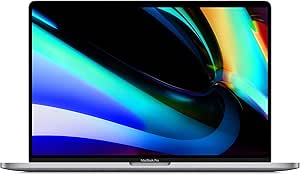 | Best for Legacy Intel Workflows | Model year: 2019 | Processor: Intel Core i7-9750H, 6-core, 2.6 GHz | Memory: 16GB DDR4, 2666 MHz | VIEW ON AMAZON | See Our Full Breakdown |
| Apple 2026 MacBook Air 13-inch Laptop with M5 Chip, 16GB RAM, 512GB SSD, Liquid Retina Display, Midnight |  | Best Lightweight Alternative | Display: 13.6-inch Liquid Retina | Processor: Apple M5 chip | Memory: 16GB unified memory | VIEW ON AMAZON | See Our Full Breakdown |
| Apple 14.2-inch MacBook Pro (2025) with M5 chip, 10-core CPU, 10-core GPU, 16GB memory, and 1TB SSD |  | Best Compact Pro for Campus | Chip: Apple M5 | CPU and GPU: 10-core CPU, 10-core GPU | Display: 14.2-inch Liquid Retina XDR, up to 1600 nits peak brightness | VIEW ON AMAZON | See Our Full Breakdown |
| Apple 16.2-Inch MacBook Pro with M5 Pro, 24GB Memory, 1TB SSD, Space Black |  | Best for Heavy Creative and AI Workloads | Chip: Apple M5 Pro | CPU and GPU: 18-core CPU, 20-core GPU | Display: 16.2-inch Liquid Retina XDR | VIEW ON AMAZON | See Our Full Breakdown |
| Apple 2021 MacBook Pro 16-inch with M1 Pro, 32GB RAM, 512GB SSD (Renewed) | | Best Renewed Pick for Memory-Heavy Multitasking | Model year and condition: 2021, renewed | Processor and graphics: Apple M1 Pro, 10-core CPU, 16-core GPU | Display: 16.2-inch Liquid Retina XDR, 3456 × 2234, 120Hz | VIEW ON AMAZON | See Our Full Breakdown |
| Apple 2026 MacBook Air 15-inch Laptop with M5 Chip, 16GB RAM, 512GB SSD, Liquid Retina Display, Wi-Fi 7, Midnight |  | Best Lightweight Alternative to a MacBook Pro | Processor: Apple M5 chip | Display: 15.3-inch Liquid Retina | Memory: 16GB unified memory | VIEW ON AMAZON | See Our Full Breakdown |
| Apple MacBook Pro 14-inch (2023), M3 Pro, 18GB RAM, 1TB SSD, Space Black (Renewed) |  | Best Renewed 14-Inch Pro with 1TB Storage | Model year and condition: 2023, renewed | Chip: Apple M3 Pro | CPU and GPU: Up to 12-core CPU, 18-core GPU | VIEW ON AMAZON | See Our Full Breakdown |
| macbook pro for college power user | Display | Memory | Storage | Battery life |
|---|---|---|---|---|
| Apple 2021 MacBook Pro 16-inch | 16.2-inch Liquid Retina XDR, 3456 × 2234, up to 120Hz | 32GB unified memory | 1TB SSD | Up to 21 hours |
| Apple MacBook Pro Laptop with | 14.2-inch Liquid Retina XDR | 48GB unified memory | 1TB SSD | — |
| Apple MacBook Pro 14-inch | 14.2-inch Liquid Retina XDR, 3024 × 1964 | 16GB | 1TB SSD | Up to 17 hours |
| Apple MacBook Pro 16-inch | 16-inch Retina, 3072 × 1920 | 16GB DDR4, 2666 MHz | 512GB SSD | Up to 11 hours |
| Apple 2026 MacBook Air 13-inch | 13.6-inch Liquid Retina | 16GB unified memory | 512GB SSD | Up to 18 hours |
| Apple 14.2-inch MacBook Pro | 14.2-inch Liquid Retina XDR, up to 1600 nits peak brightness | 16GB unified memory | 1TB SSD | — |
| Apple 16.2-Inch MacBook Pro wi | 16.2-inch Liquid Retina XDR | 24GB unified memory | 1TB SSD | — |
| Apple 2021 MacBook Pro 16-inch | 16.2-inch Liquid Retina XDR, 3456 × 2234, 120Hz | 32GB unified memory | 512GB SSD | Up to 20–21 hours, depending on workload |
| Apple 2026 MacBook Air 15-inch | 15.3-inch Liquid Retina | 16GB unified memory | 512GB SSD | Up to 18 hours |
| Apple MacBook Pro 14-inch | 14.2-inch Liquid Retina XDR, 3024 × 1964 | 18GB | 1TB SSD | Up to 18 hours |
More Details on Our Top Picks
Apple 2021 MacBook Pro 16-inch with M1 Pro, 32GB RAM, 1TB SSD (Renewed)
For students running large code projects, editing high-resolution video, or keeping demanding apps open together, the 32GB of unified memory is the main reason to choose this renewed 16-inch model. Its M1 Pro and 1TB SSD provide a capable workstation base, while the 16.2-inch 120Hz Liquid Retina XDR display gives long editing and coding sessions generous screen space. Unlike the newer 14.2-inch MacBook Pro with M5 Pro, this model is older and renewed, but it offers a larger display and built-in HDMI and SDXC alongside Thunderbolt 4. The tradeoff is age and condition uncertainty, plus a larger footprint than a 14-inch machine. I’d choose it over the 2021 14-inch M1 Pro option when memory and screen area matter more than compactness.
Pros:- 32GB unified memory suits demanding multitasking and large creative projects
- 16.2-inch XDR display supports refresh rates up to 120Hz
- HDMI, SDXC, Thunderbolt 4, and MagSafe 3 reduce reliance on adapters
- Stated battery life reaches up to 21 hours
Cons:- Renewed condition means prior use and possible cosmetic variation
- M1 Pro is an older generation than the M5 Pro in the newer 14.2-inch MacBook Pro
- The 16-inch form factor takes more room in a student bag
Best for: College power users editing video, working with large datasets, or running memory-intensive development tools who want a big screen and 32GB RAM.
Not ideal for: Students who need a new machine, want the newest chip generation, or carry their laptop between classes all day and prefer a smaller chassis.
- Model year:2021
- Chip:Apple M1 Pro, 10-core CPU and 16-core GPU
- Display:16.2-inch Liquid Retina XDR, 3456 × 2234, up to 120Hz
- Memory:32GB unified memory
- Storage:1TB SSD
- Ports:Three Thunderbolt 4, HDMI, SDXC, MagSafe 3, 3.5mm headphone jack
- Battery life:Up to 21 hours
- Condition:Renewed
Our verdict“Choose this renewed 16-inch model if 32GB memory and a spacious display matter more than getting a current-generation MacBook Pro.”
Apple MacBook Pro Laptop with M5 Pro Chip, 15-core CPU, 16-core GPU, 14.2-inch Liquid Retina XDR Display, 48GB RAM, 1TB SSD, Space Black
This is the lineup’s strongest fit for students whose coursework resembles professional production work: the M5 Pro with a 15-core CPU and 48GB of unified memory are geared toward heavy compiling, complex creative projects, and intensive multitasking. Its 14.2-inch size is easier to carry than the 16-inch M1 Pro model, while Thunderbolt 5 and Wi-Fi 7 bring newer connectivity than that older machine’s Thunderbolt 4 and Wi-Fi details. The 1TB SSD provides useful working space, and the XDR display keeps the portable chassis suited to visual work. This premium configuration is more capability than many college workloads require, and its 14-inch screen offers less room than the 16-inch alternatives. I’d pick it for current-generation performance, not for basic coursework.
Pros:- M5 Pro chip pairs a 15-core CPU with a 16-core GPU
- 48GB unified memory supports demanding simultaneous workloads
- Thunderbolt 5, Wi-Fi 7, HDMI, and SDXC provide current, flexible connectivity
- 14.2-inch XDR display and 1TB SSD suit portable creative work
Cons:- The high-end configuration may exceed the needs of many college users
- Its 14.2-inch display is smaller than the 16-inch M1 Pro alternatives
- The product data gives no numeric battery-life estimate
Best for: Film, design, engineering, and computer-science students who run demanding professional software and want substantial memory in a more portable Pro.
Not ideal for: Students focused on documents, browsing, and standard coursework, or anyone who values a larger built-in screen over newer components.
- Chip:Apple M5 Pro, 15-core CPU and 16-core GPU
- Display:14.2-inch Liquid Retina XDR
- Memory:48GB unified memory
- Storage:1TB SSD
- Ports:Three Thunderbolt 5, MagSafe 3, SDXC, HDMI, headphone jack
- Camera:12MP Center Stage
- Wireless:Wi-Fi 7 and Bluetooth 6
- Audio:Six speakers with Spatial Audio and Dolby Atmos
Our verdict“Pick this MacBook Pro if your college work regularly pushes demanding apps and you want modern Pro-class performance in a 14.2-inch chassis.”
Apple MacBook Pro 14-inch (2021), M1 Pro, 16GB RAM, 1TB SSD, Space Gray (Renewed)
This renewed 14-inch MacBook Pro keeps the core appeal of the M1 Pro generation—a 10-core CPU and 16-core GPU—in a smaller format than the 16-inch M1 Pro with 32GB RAM. Its 1TB SSD gives students room for class files and creative projects, while the XDR display offers a sharper, more capable workspace than the 2019 Intel MacBook Pro’s Retina panel. The compromise is its 16GB memory, half the capacity of the larger renewed M1 Pro option, which can pinch when large projects and many apps run together. It is a sensible middle ground for students who want Pro-level graphics and storage without the 16-inch screen, but the renewed condition and listed spec inconsistencies call for extra care before purchase.
Pros:- M1 Pro combines a 10-core CPU and 16-core GPU
- 1TB SSD offers more local project space than the 2019 Intel option’s 512GB
- 14.2-inch Liquid Retina XDR display supports detailed visual work
- Stated battery life is up to 17 hours
Cons:- 16GB memory is less suited to heavy multitasking than the 32GB 16-inch M1 Pro
- Renewed condition carries prior-use uncertainty
- Provided listing information contains specification inconsistencies
Best for: Students who need M1 Pro graphics and 1TB of storage for design or development work but prefer a 14-inch laptop and can accept renewed condition.
Not ideal for: Users handling memory-heavy video, 3D, or data workloads who would benefit from 32GB RAM, or buyers who require a new device and clear, consistent specifications.
- Model:MacBook Pro (2021), A2442
- Processor:Apple M1 Pro, 10-core CPU
- Graphics:Integrated Apple M1 Pro, 16-core GPU
- Memory:16GB
- Storage:1TB SSD
- Display:14.2-inch Liquid Retina XDR, 3024 × 1964
- Battery life:Up to 17 hours
- Condition and warranty:Renewed; 90-day limited warranty
Our verdict“Choose this renewed 14-inch model for M1 Pro capability and 1TB storage in a smaller package, provided 16GB memory is enough for your workload.”
Apple MacBook Pro 16-inch (Late 2019), Intel Core i7, 16GB RAM, 512GB SSD, Space Gray (Renewed)
The 2019 16-inch MacBook Pro is the outlier here: its Intel Core i7 and AMD Radeon Pro 5300M may suit students whose required tools or older peripherals depend on an Intel-based Mac, but it is a weaker general-purpose power-user choice than either M1 Pro model. The 16-inch Retina screen and four Thunderbolt/USB-C ports give it a workable campus workstation setup, yet its 512GB SSD is half the capacity of the renewed 14-inch M1 Pro and its stated battery life is shorter than the newer models’ figures. That makes this a niche pick rather than a value substitute for newer silicon. I’d choose it only when Intel compatibility or a specific legacy workflow matters more than newer-generation performance and battery claims.
Pros:- Six-core Intel Core i7 processor supports Intel-based Mac workflows
- AMD Radeon Pro 5300M provides dedicated graphics
- 16-inch Retina display gives ample workspace
- Four Thunderbolt/USB-C ports support connected peripherals
Cons:- Older Intel platform is a less compelling fit than the M1 Pro models for modern workloads
- 512GB SSD offers less storage than the two renewed M1 Pro options
- Stated battery life is up to 11 hours, below the figures provided for newer models
Best for: Students whose coursework relies on Intel-specific Mac software, older workflows, or compatibility needs that rule out an Apple-silicon machine.
Not ideal for: Most power users seeking a long-lived laptop for demanding modern creative or development work; the M1 Pro models offer newer silicon and larger SSD configurations.
- Model year:2019
- Processor:Intel Core i7-9750H, 6-core, 2.6 GHz
- Memory:16GB DDR4, 2666 MHz
- Storage:512GB SSD
- Display:16-inch Retina, 3072 × 1920
- Graphics:AMD Radeon Pro 5300M, 4GB GDDR6
- Ports:Four Thunderbolt/USB-C
- Battery life:Up to 11 hours
Our verdict“Consider this renewed Intel model only if your college software or workflow specifically calls for an Intel Mac.”
Apple 2026 MacBook Air 13-inch Laptop with M5 Chip, 16GB RAM, 512GB SSD, Liquid Retina Display, Midnight
This MacBook Air is the lightest-duty choice in a power-user roundup, and its strength is portability over sustained Pro-level capacity. The M5 chip, 16GB unified memory, and 512GB SSD cover lectures, research, coding, and many creative assignments, while the stated battery life of up to 18 hours supports long days away from an outlet. Compared with the M5 Pro MacBook Pro, it gives up the higher-tier chip, more memory, and Pro display class; compared with the renewed 2019 Intel Pro, it offers a newer chip generation and a lighter Air design. Its two Thunderbolt 4 ports and 16GB memory set a ceiling for demanding workflows, and the supplied data notes support for only two external displays. Choose it when carrying comfort matters more than a dedicated Pro configuration.
Pros:- M5 chip brings current-generation performance to a portable Air
- 16GB unified memory and 512GB SSD cover many college workloads
- Stated battery life reaches up to 18 hours
- Wi-Fi 7 and a 12MP Center Stage camera support connected study and calls
Cons:- 16GB memory is limiting for heavier professional creative workloads
- Two Thunderbolt 4 ports provide fewer built-in connections than the M1 Pro 16-inch model
- Supports up to two external displays and has no dedicated GPU option
Best for: Students who carry a laptop across campus daily and need strong everyday performance for coding, research, and moderate creative coursework.
Not ideal for: Power users running memory-intensive production workloads, needing more than 16GB of memory, or seeking the XDR display and broader port selection of a MacBook Pro.
- Display:13.6-inch Liquid Retina
- Processor:Apple M5 chip
- Memory:16GB unified memory
- Storage:512GB SSD
- Battery life:Up to 18 hours
- Ports:Two Thunderbolt 4, MagSafe, headphone jack
- Camera:12MP Center Stage
- Wireless:Wi-Fi 7 and Bluetooth 6
Our verdict“Pick this MacBook Air if campus portability and everyday M5 performance matter more than the extra memory, display, and graphics capacity of a MacBook Pro.”
Apple 14.2-inch MacBook Pro (2025) with M5 chip, 10-core CPU, 10-core GPU, 16GB memory, and 1TB SSD
The 14.2-inch MacBook Pro with M5 balances serious coursework capability with a size that’s easier to carry between lectures than the 16.2-inch M5 Pro model. Its 1TB SSD gives students room for large project files, while the XDR display and HDMI and SDXC ports make it well suited to photo work, presentations, and connecting classroom equipment without a tangle of adapters. It can drive up to two external displays, a useful perk for a dorm desk setup. The tradeoff is its 16GB of unified memory: it’s a sensible fit for coding, editing, and multitasking, but less suited to sustained, memory-heavy creative or AI workloads than the M5 Pro with 24GB. Battery duration isn’t specified in the supplied details, either.
Pros:- M5 chip with 10-core CPU and 10-core GPU for demanding student workflows
- 1TB SSD accommodates large applications and project libraries
- Liquid Retina XDR display reaches up to 1600 nits peak brightness
- HDMI, SDXC, MagSafe, and three Thunderbolt 4 ports reduce adapter dependence
Cons:- 16GB unified memory gives less headroom than the 24GB M5 Pro model
- No specific battery-life duration is provided
- At 3.41 pounds, it is heavier than a MacBook Air
Best for: Students who want a relatively portable MacBook Pro for coding, media projects, and campus presentations, with generous built-in storage.
Not ideal for: Students running memory-intensive 3D, video, or AI workloads who would benefit from the M5 Pro model’s 24GB memory.
- Chip:Apple M5
- CPU and GPU:10-core CPU, 10-core GPU
- Display:14.2-inch Liquid Retina XDR, up to 1600 nits peak brightness
- Memory:16GB unified memory
- Storage:1TB SSD
- Ports:Three Thunderbolt 4, MagSafe 3, SDXC card slot, HDMI, headphone jack
- External displays:Up to two
- Weight:3.41 pounds
Our verdict“Choose this M5 MacBook Pro if you want a carryable, well-connected campus workstation with 1TB of storage, but not the extra memory of an M5 Pro.”
Apple 16.2-Inch MacBook Pro with M5 Pro, 24GB Memory, 1TB SSD, Space Black
For students whose coursework involves large video timelines, complex software builds, or demanding AI tasks, this 16.2-inch MacBook Pro is the strongest new-workstation pick in this group. Its M5 Pro chip, 24GB memory, and 20-core GPU offer more processing and graphics headroom than the 14.2-inch M5 model, while the larger XDR screen gives timelines and side-by-side documents more room. Three Thunderbolt 5 ports, HDMI, and SDXC support a serious desk setup, and the listing specifies all-day battery life. The cost of that capability is physical: at 4.71 pounds, it is a bigger burden in a backpack than the compact M5 Pro alternative with a 14.2-inch display. Students focused on ordinary notes, browsing, and essays are unlikely to need its extra scale.
Pros:- M5 Pro with 18-core CPU and 20-core GPU suits demanding creative and compute work
- 24GB unified memory offers more workload headroom than the 16GB M5 model
- 16.2-inch Liquid Retina XDR display provides generous workspace
- Thunderbolt 5, HDMI, and SDXC support a flexible workstation setup
Cons:- 4.71-pound weight makes daily campus carrying less convenient
- Larger chassis is less suited to cramped lecture desks
- Its performance and screen size may be unnecessary for routine coursework
Best for: Film, design, engineering, and computer-science students who run demanding creative or AI workloads and want a large built-in screen.
Not ideal for: Students who carry their laptop across campus all day or mainly work on documents, browsing, and lectures.
- Chip:Apple M5 Pro
- CPU and GPU:18-core CPU, 20-core GPU
- Display:16.2-inch Liquid Retina XDR
- Memory:24GB unified memory
- Storage:1TB SSD
- Wireless:Wi-Fi 7, Bluetooth 6
- Ports:Three Thunderbolt 5, MagSafe 3, SDXC card slot, HDMI, headphone jack
- Weight:4.71 pounds
Our verdict“Pick this model for demanding creative or AI coursework that benefits from a large display and extra performance, provided the weight fits your campus routine.”
Apple 2021 MacBook Pro 16-inch with M1 Pro, 32GB RAM, 512GB SSD (Renewed)
This renewed 16-inch MacBook Pro stands out for students who need 32GB of unified memory more than they need the newest chip. That capacity can help when juggling large design files, virtual machines, browser tabs, and creative apps; the newer M5 Pro model is a stronger choice for current-generation processing and connectivity, but has 24GB of memory in this configuration. The 120Hz Liquid Retina XDR display and stated battery life of up to 20–21 hours add appeal for long editing sessions away from an outlet. The tradeoffs are its 512GB SSD, which can fill quickly with media projects, and its renewed condition, which may vary. Its 2021 M1 Pro platform is also an older generation than the M5 options in this roundup.
Pros:- 32GB unified memory supports heavy multitasking and memory-intensive applications
- 16.2-inch Liquid Retina XDR display has a 120Hz refresh rate
- M1 Pro 10-core CPU and 16-core GPU handle demanding creative work
- Stated battery life is up to 20–21 hours, depending on workload
Cons:- Renewed condition may vary, unlike a new M5 MacBook Pro
- 512GB SSD may be restrictive for large media and course projects
- Older M1 Pro generation lacks the newer M5 models’ current platform
Best for: Students who keep many demanding applications open or work with large files and are comfortable buying a renewed, older-generation laptop.
Not ideal for: Buyers who need 1TB of internal storage, want a new device, or prioritize the latest chip and connectivity.
- Model year and condition:2021, renewed
- Processor and graphics:Apple M1 Pro, 10-core CPU, 16-core GPU
- Display:16.2-inch Liquid Retina XDR, 3456 × 2234, 120Hz
- Memory:32GB unified memory
- Storage:512GB SSD
- Battery life:Up to 20–21 hours, depending on workload
- Camera:1080p FaceTime HD
- Warranty:90-day Amazon Renewed Guarantee
Our verdict“Choose this renewed model if 32GB of memory matters more to your workload than newer-generation performance, and 512GB of storage is enough.”
Apple 2026 MacBook Air 15-inch Laptop with M5 Chip, 16GB RAM, 512GB SSD, Liquid Retina Display, Wi-Fi 7, Midnight
This MacBook Air earns a place as the lighter-duty alternative for power users who value a roomy screen and campus-friendly battery life more than Pro-class graphics and ports. Its 15.3-inch Liquid Retina display gives split-screen notes, research, and coding more space than the 14.2-inch M5 MacBook Pro, while the listed M5 chip and 16GB unified memory cover a broad range of student work. Up to 18 hours of battery life and Wi-Fi 7 support a day of classes without making this a full Pro workstation. Compared with the MacBook Pros here, it has a standard Liquid Retina display rather than XDR and no dedicated GPU for high-end graphics work. Its 512GB SSD is also half the capacity of the M5 Pro and M3 Pro options.
Pros:- 15.3-inch Liquid Retina display offers ample room for split-screen study
- M5 chip and 16GB unified memory suit a wide range of college tasks
- Stated battery life reaches up to 18 hours
- Wi-Fi 7, Thunderbolt 4, and MagSafe provide current connectivity
Cons:- Standard Liquid Retina display is not the XDR panel found on the MacBook Pros
- 512GB SSD provides less room than the 1TB Pro configurations
- No dedicated GPU for high-end gaming or intensive graphics workloads
Best for: Students who want a large screen, long stated battery life, and modern connectivity for coding, research, and everyday creative coursework.
Not ideal for: Students doing sustained high-end graphics, intensive video production, or workloads that need a MacBook Pro’s XDR display and stronger graphics configuration.
- Processor:Apple M5 chip
- Display:15.3-inch Liquid Retina
- Memory:16GB unified memory
- Storage:512GB SSD
- Battery life:Up to 18 hours
- Camera:12MP Center Stage
- Connectivity:Wi-Fi 7, Bluetooth 6, Thunderbolt 4, MagSafe, headphone jack
- Audio:Six-speaker system with Spatial Audio and Dolby Atmos
Our verdict“Pick this Air if portability, screen space, and battery life matter more than the XDR display and graphics headroom of a MacBook Pro.”
Apple MacBook Pro 14-inch (2023), M3 Pro, 18GB RAM, 1TB SSD, Space Black (Renewed)
This renewed 14-inch MacBook Pro is a middle path for students who want Pro-class hardware and 1TB of storage without moving to the larger 16-inch models. Its M3 Pro chip, up to 12-core CPU, and 18-core GPU are aimed at creative and technical work, while the 14.2-inch XDR display keeps the laptop easier to carry than the 16.2-inch M1 Pro and M5 Pro options. Against the newer 14.2-inch M5 model, this one has more listed memory than that configuration’s 16GB, but it is an older chip generation and is sold renewed. The listed battery life reaches up to 18 hours, though actual runtime varies by use and configuration. Buyers should also note the supplied port details are less specific than those for the newer models.
Pros:- M3 Pro chip with up to 12-core CPU and 18-core GPU for demanding work
- 18GB memory exceeds the 16GB configuration of the 14-inch M5 model
- 1TB SSD accommodates larger project libraries
- 14.2-inch Liquid Retina XDR display in a 3.5-pound chassis
Cons:- Renewed condition may not suit buyers who want a new device
- M3 Pro is an older generation than the M5 options in this roundup
- Battery life varies by use and configuration
Best for: Students seeking a compact MacBook Pro with 1TB storage and Pro-level graphics for editing, development, or demanding coursework, who accept renewed condition.
Not ideal for: Buyers who want a new laptop, the latest M5 generation, or precise confirmation of the full port selection before choosing.
- Model year and condition:2023, renewed
- Chip:Apple M3 Pro
- CPU and GPU:Up to 12-core CPU, 18-core GPU
- Display:14.2-inch Liquid Retina XDR, 3024 × 1964
- Memory:18GB
- Storage:1TB SSD
- Battery life:Up to 18 hours
- Weight:3.5 pounds
Our verdict“Choose this renewed 14-inch Pro if you want 1TB storage and more than 16GB of memory in a portable Pro design, and are comfortable with an older chip generation.”

How We Picked
I ranked these laptops for students who run demanding workloads alongside everyday coursework, weighing processor tier, memory capacity, storage, screen size, portability, and likely useful lifespan. A power user may keep an IDE, research sources, virtual meetings, and creative applications open together, so memory and sustained workload fit matter more than a single headline chip label. I also weighed whether the display and chassis make sense for moving between classes and working at a desk.
The order favors configurations that balance demanding performance with realistic campus use. The M5 Pro models lead because they combine newer Pro-class hardware with stronger memory options; the 14-inch 48GB version edges ahead for its mix of capacity and carryability. Refurbished M1 Pro and M3 Pro models can offer capable alternatives, but age, condition, and configuration make them less straightforward than newer systems. The Air models remain useful lower-intensity and portability choices, while the 2019 Intel model ranks lowest for buyers seeking a long-term machine for current heavy workflows.
| macbook pro for college power user | Chip | Ports | Battery life |
|---|---|---|---|
| Apple 2021 MacBook Pro 16-inch | Apple M1 Pro, 10-core CPU and 16-core GPU | Three Thunderbolt 4, HDMI, SDXC, MagSafe 3, 3.5mm headphone jack | Up to 21 hours |
| Apple MacBook Pro Laptop with | Apple M5 Pro, 15-core CPU and 16-core GPU | Three Thunderbolt 5, MagSafe 3, SDXC, HDMI, headphone jack | — |
| Apple MacBook Pro 14-inch | — | — | Up to 17 hours |
| Apple MacBook Pro 16-inch | — | Four Thunderbolt/USB-C | Up to 11 hours |
| Apple 2026 MacBook Air 13-inch | — | Two Thunderbolt 4, MagSafe, headphone jack | Up to 18 hours |
| Apple 14.2-inch MacBook Pro | Apple M5 | Three Thunderbolt 4, MagSafe 3, SDXC card slot, HDMI, headphone jack | — |
| Apple 16.2-Inch MacBook Pro wi | Apple M5 Pro | Three Thunderbolt 5, MagSafe 3, SDXC card slot, HDMI, headphone jack | — |
| Apple 2021 MacBook Pro 16-inch | — | — | Up to 20–21 hours, depending on workload |
| Apple 2026 MacBook Air 15-inch | — | — | Up to 18 hours |
| Apple MacBook Pro 14-inch | Apple M3 Pro | — | Up to 18 hours |
Factors to Consider When Choosing Macbook Pro For College Power Users
Choosing a college laptop is less about buying the most powerful configuration and more about matching sustained workload, daily carry, and expected years of use. I would settle those priorities before comparing chip names.
Match Memory to the Work You Actually Run
Memory affects how comfortably a laptop handles several demanding applications at once, not just how quickly one app opens. Students working with large creative files, software builds, virtual machines, or extensive browser research may benefit from more capacity than a typical note-taking workflow needs. A common mistake is treating storage and memory as interchangeable: a larger SSD gives you room for files, but it does not provide more working memory. Think about your heaviest semester, not only your current class schedule. If those demanding tasks are rare, a base configuration may be a better fit than carrying unused capacity. If your work routinely pushes multiple tools at once, prioritizing memory can extend the machine’s usefulness.
Decide Whether the Laptop Must Replace a Desk Setup
A 16-inch screen gives timelines, code, spreadsheets, and split windows more room, which can reduce reliance on an external monitor. The tradeoff is a larger laptop to carry between lectures, labs, and the library. Before choosing the larger chassis, ask how often you work at a fixed desk and whether campus spaces already have displays you can use. Students who move frequently may get more day-to-day value from a 14-inch model and an external monitor at home. Screen size also affects how comfortably you can review documents side by side, so it is not merely a preference for larger text. Choose around your most common work setting rather than an imagined ideal setup.
Separate Pro-Level Needs from Everyday Multitasking
Demanding coursework can mean very different things: compiling code, editing video, running data tools, and keeping many research tabs open place different loads on a laptop. A MacBook Pro is most compelling when workloads are sustained, graphics-intensive, or tied to a display and port setup you use often. For writing, general research, lectures, and occasional creative work, an Air may be more convenient to carry and still cover the routine. Do not buy a Pro solely because a course title sounds technical; check the applications and project sizes your department actually uses. Also ask whether specialized software requires a particular operating system or hardware configuration. That check can prevent paying for performance your studies will not use.
Treat Refurbished Age and Condition as Separate Questions
A renewed laptop can provide a capable configuration, but its processor generation and its physical condition are different parts of the decision. Older Pro models may have generous memory or storage while still giving up newer hardware and a longer runway for future software demands. Review the seller’s return terms, battery condition information, included accessories, and the exact configuration before committing. A low-generation model with high memory can suit a known workload better than a newer base model, but only if its age fits your expected years of use. Avoid assuming that a renewed label means every unit has the same battery health or cosmetic state. For a laptop expected to last through several years of study, support horizon matters alongside specs.
Choose Storage Around Files, Backups, and Connectivity
Course files may look small at first, but video projects, design assets, datasets, and offline media can grow quickly. A 1TB SSD reduces the need to manage space as tightly, while a smaller internal drive can work if you maintain a reliable external-storage and backup routine. Do not treat an external drive as a backup if it is the only copy of important work. Consider whether your campus network and workflow make cloud storage dependable, especially for large files or travel. Keep room for applications and system updates rather than planning to fill every gigabyte with class materials. The right storage choice depends on how much you create and how consistently you manage copies.
Budget for the Whole Student Setup
The laptop is only one part of a usable college workstation. A monitor, dock, external drive, protective sleeve, and adapters can matter more to daily convenience than a small processor upgrade. Compare what you would need to add to a compact laptop against the cost and carrying burden of choosing a larger-screen model. Students who work in shared spaces may value a lighter system more than a home-desk setup does. Check your school’s software requirements and any lab access before deciding to pay for extra performance. A well-matched configuration leaves room for useful accessories and avoids spending on capacity that does not change your actual workflow.
Frequently Asked Questions
Is the 14-inch M5 Pro with 48GB memory a better college choice than the 16-inch M5 Pro?
It is the stronger fit if you carry your laptop often and your work benefits more from memory headroom than from a larger built-in screen. The 16-inch model suits students who spend long sessions on visual work or want more room for split windows without relying on a monitor. Both target demanding workloads, so the choice is largely about mobility and workspace. Compare your heaviest applications and usual study location before deciding. If you can use an external display at your main desk, the smaller model may be easier to live with day to day.
Should I choose a renewed M1 Pro MacBook Pro or a newer base M5 MacBook Pro?
The renewed M1 Pro options may appeal if their memory and screen configuration better match your workload, particularly the 16-inch 32GB model. The newer base M5 offers a newer generation and a 1TB SSD, but has 16GB of memory in this listing. Neither choice wins for every student: sustained multitasking may favor the higher-memory configuration, while age and condition concerns favor a newer machine. Check battery health, return terms, and software support expectations for any renewed unit. Choose based on the work you need to run and how many years you expect to keep the laptop.
Can a MacBook Air handle power-user college work, or do I need a MacBook Pro?
An Air can be a sensible choice when demanding work happens occasionally and portability is your daily priority. The 13-inch Air is easier to carry, while the 15-inch model gives you a roomier screen without moving to a Pro chassis. A Pro makes more sense when your workload regularly involves sustained processing, demanding graphics, or heavier multitasking. Check the software and project sizes used in your program instead of relying on the label “power user.” If your most demanding tasks are central to your studies, choosing a Pro-class configuration gives you more headroom.
Is 16GB of memory enough for a student who codes or edits media?
It can be enough for introductory coding, general coursework, and lighter media projects, especially when you do not run many demanding applications at once. Larger builds, virtual machines, high-resolution footage, and simultaneous creative tools can make additional memory more useful. The products in this roundup show why the configuration matters: a chip generation alone does not tell you how well a laptop will handle a crowded workflow. Check the memory recommendations for your department’s required software and typical project sizes. If you expect your work to grow more complex over several years, consider a higher-memory configuration when available.
Does a college power user need the 1TB SSD, or is 512GB workable?
A 512GB drive can work for coursework, applications, and moderate file storage if you routinely move finished projects elsewhere and keep backups. Students handling video, large datasets, or design libraries may find 1TB more convenient because it reduces file shuffling. External storage can expand capacity, but it adds something to carry and depends on a consistent backup habit. Do not fill the internal drive with the only copy of important work; keep another copy in a separate location. Your choice should reflect the size of active projects, not just the total number of files you expect to keep.
Conclusion
For most college power users, I recommend the 14-inch M5 Pro with 48GB memory as the best overall balance of high-end workload capacity and campus portability. The renewed 2021 16-inch M1 Pro with 32GB RAM is my value-oriented pick for buyers who want a spacious screen and can accept older hardware and unit-condition checks. For the best premium fit, choose the 16-inch M5 Pro if screen area and newer Pro-class performance matter more than carry weight. Beginners whose demanding work is occasional should start with the 13-inch M5 Air; it is the simpler portability choice, not the strongest option for sustained heavy workloads. For specific needs, the 2023 14-inch M3 Pro offers a renewed middle ground, while students who prioritize screen room without needing Pro performance can look at the 15-inch M5 Air. The 2019 Intel model is the least compelling long-term choice here for a student buying primarily for demanding current workloads.