
TL;DR
Listen free for 30 days with Audible
Thousands of audiobooks and originals — cancel anytime.
As an affiliate, we earn on qualifying purchases.
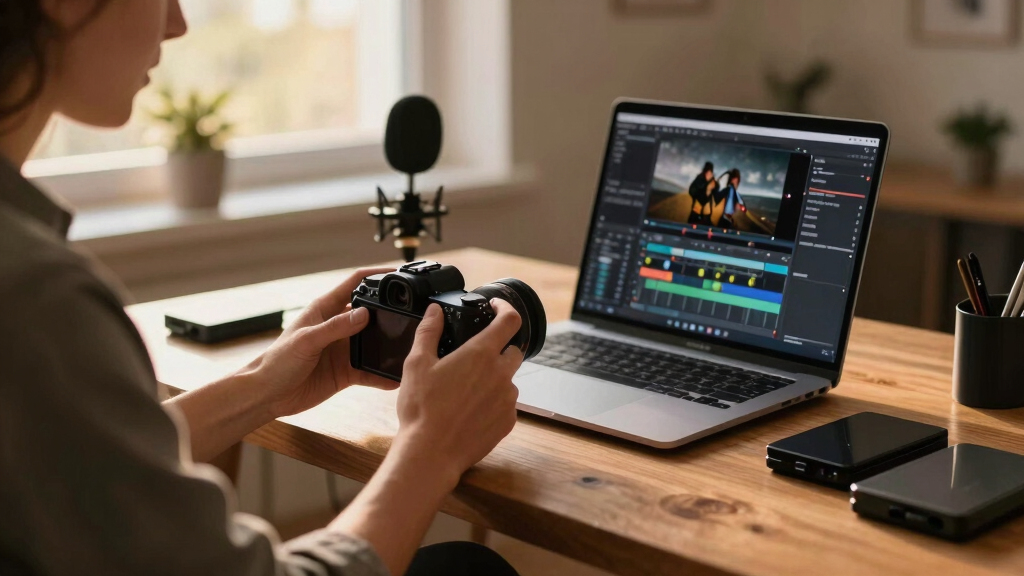
This article explores how a single video upload can generate a full publishing kit—titles, descriptions, clips, thumbnails—entirely on your local machine. It highlights privacy, control, and efficiency, demonstrating a shift away from cloud-based services.
Imagine uploading a single video and getting back a full set of ready-to-publish assets—titles, descriptions, clips, thumbnails, social posts—all crafted on your own machine. No cloud, no third parties, just your content and your control. That’s the promise of a truly local-first workflow, where privacy isn’t sacrificed for convenience.
This approach isn’t just about avoiding cloud fees; it’s about owning your process and data. You get a pipeline that turns one upload into a complete publishing kit, saving hours of manual repackaging and editing. Ready to see how this works and what it means for creators like you? Let’s dive in.
Key Takeaways
- Local processing creates a detailed, layered understanding of your video, improving metadata accuracy and privacy.
- A single upload can generate a full publishing kit—titles, descriptions, clips, thumbnails, and social posts—saving hours of manual work.
- Review dashboards with provenance info ensure quality control and transparency at every step.
- Producing all assets on your own machine keeps your content private and avoids subscription fees.
- Switching to a local-first workflow empowers creators to own their process and streamline publishing.
As an affiliate, we earn on qualifying purchases.
How a Local-First System Understands Your Video Better Than The Cloud
Most tools stop at transcribing your speech. But a local-first system like ChannelHelm reads your video on four levels: audio, visuals, their fusion, and overall meaning. This layered understanding creates a smarter foundation for generating assets.
For example, it recognizes who’s speaking and when, detects scene changes, reads on-screen text, and matches these moments to topics and hooks. This isn’t just about turning speech into text; it’s about understanding the story your video tells, frame by frame.
By doing this processing locally, your footage stays private. No third-party servers see your raw video, and your workflow remains under your control. The depth of this understanding results in more accurate, useful outputs—like titles that truly reflect the content’s core, not just a snippet of speech.

privacy-focused video publishing tools
As an affiliate, we earn on qualifying purchases.
As an affiliate, we earn on qualifying purchases.
From Upload to Published Assets in Four Easy Steps
Getting your full publishing kit from one video is surprisingly straightforward. Here’s how it works: Learn more about this system.
- Ingest: Drop your file or paste a link. The system automatically detects your channel and starts processing.
- Understand: Background workers transcribe speech, analyze visuals, and fuse data into a unified scene log. This step takes a few minutes, but you can start reviewing early assets.
- Review in the Studio: Everything is drafted—titles, descriptions, clips, thumbnails, social posts. You can edit, regenerate, or approve assets individually.
- Approve & Ship: Hit publish. The assets go directly to each platform—YouTube, TikTok, Instagram, and more—without ever leaving your machine.
This tight loop means you’re always in control, reviewing assets at each stage and making adjustments before anything goes live. Plus, you see progress indicators for each layer, so no surprises.

video metadata generation software
As an affiliate, we earn on qualifying purchases.
As an affiliate, we earn on qualifying purchases.
What’s Included in Your One-Upload Publishing Kit?
The core idea: one video turns into a bundle of ready-to-publish assets—organized, scored, and tailored for each platform. For example, a typical YouTube kit includes:
- Multiple title options scored 0–100 for engagement
- A detailed description with chapters and hashtags
- Tags with relevance scores
- Thumbnail concepts based on key moments
- A clean transcript for accessibility and SEO
Meanwhile, social clips are cut from high-retention moments, with auto-generated captions and optimized formats for TikTok, Instagram Reels, or Shorts. Blogs and newsletters are drafted from the same core analysis, keeping your message consistent across channels.
All assets are stored in a single package, with each element linked to its source video and analysis details. This integration means you can tweak any part without starting over.

As an affiliate, we earn on qualifying purchases.
The Review Dashboard: Your Control Center for Quality and Speed
Reviewing your assets is made simple with a multi-layout studio. Think of it as your cockpit: three views, one goal—fast, confident approval.
The Console layout offers a quick overview: a sidebar with assets, a live pipeline view, and an approval panel. It’s perfect for daily checks.
The Editor mode dives deep: you see each asset, compare versions side by side, and scrutinize provenance details—who generated it, with what prompt, and when.
The Atlas view aggregates everything: completion percentages across platforms, status updates, and quick access to focus areas. This keeps your workflow transparent, organized, and efficient.
Every asset includes provenance info, so you always know exactly how it was generated. This transparency builds trust and allows quick troubleshooting.

One Package, Every Platform: How It All Comes Together
The magic of a local-first system is that it produces a single, comprehensive package. From this, you get assets for YouTube, TikTok, LinkedIn, Instagram, and more—without separate uploads or tools.
For example, a single analysis might yield:
- Five optimized titles with scores
- A detailed, SEO-friendly description with timestamps
- Vertical clips for Shorts and Reels
- Thumbnail images based on key moments
- Social posts tailored for each network
This unified approach saves hours of manual reformatting and ensures consistency across channels. Plus, because everything is generated locally, you can learn more about home improvement and lifestyle tips to enhance your content.
Check out ChannelHelm for more details on how this all works.

Reviewing and Approving Assets Without the Cloud — Why It Matters
Doing everything on your own machine means total privacy. No third-party servers get access to your raw footage, and your content stays under your control.
This setup reduces risks: accidental leaks, data breaches, or dependencies on external providers. Plus, you avoid ongoing subscription costs—just a one-time setup and you’re good to go.
For example, a media company working with sensitive footage found local processing invaluable because it kept their footage secure and compliant with privacy standards.
And because you see every provenance detail, you can verify exactly how each asset was created, adding an extra layer of trust and control.

Are You Ready to Cut the Cloud and Keep Your Control?
Switching to a local-first workflow isn’t just a tech upgrade; it’s a mindset shift. It’s about owning your process, protecting your content, and streamlining production.
If you’re tired of waiting for cloud uploads, subscription fees, and losing control over your footage, it’s time to explore options like [ChannelHelm](https://github.com/MeyerThorsten/ChannelHelm). It’s designed for creators, teams, and organizations who want fast, private, and comprehensive publishing without the cloud.
Imagine turning one upload into a complete set of assets—done on your terms. That’s the future of video publishing. Are you ready to make the switch?
Frequently Asked Questions
What does “without the cloud” actually mean?
It means all video analysis, metadata generation, and asset creation happen entirely on your local machine. Your footage never leaves your device, keeping your data private and under your control.
Yes. A local-first system like ChannelHelm can produce a variety of assets—titles, descriptions, clips, thumbnails, social posts—from a single upload, streamlining your entire workflow.
How much setup time does this require?
Most solutions aim for quick setup—installing the software, linking your channels, and uploading your first video. The system then handles the rest automatically, often within minutes.
Is this suitable for solo creators or larger teams?
It works well for both. Solo creators benefit from automation and control, while teams can streamline collaboration with clear provenance and organized assets.
Does it support all video formats and lengths?
Most local processing tools support common formats like MP4, MOV, and AVI, with length limits depending on your hardware’s capacity. Check specific software specs, but many handle hours-long videos comfortably.
Conclusion
Owning your workflow means more control, privacy, and speed. With tools like ChannelHelm, a single video can become a full-scale publishing package—without ever leaving your machine. It’s a bold step toward smarter, faster, and safer content creation.
Why keep handing your footage over to the cloud? Take charge, keep your data private, and turn your raw videos into a complete publishing kit in record time. That vivid, organized package is just a local click away.

Flea & tick season Picks
flea and tick prevention
As an affiliate, we earn on qualifying purchases.