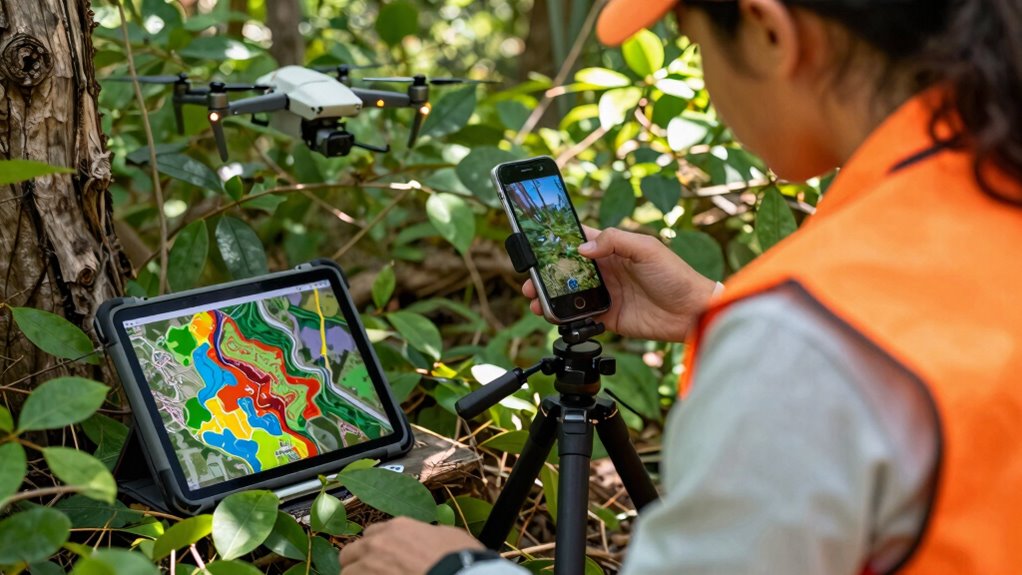

To make habitat mapping workflows efficient and avoid busywork, use integrated mobile tools that streamline data collection, analysis, and sharing in real-time. Incorporate drone technology for high-resolution imagery and automatic data transmission, reducing manual effort. Synchronize your data to cloud-based platforms for instant updates and collaboration. Automation features like geo-referencing and feature tagging save time, while customizable dashboards help focus on essential information. Continue exploring how these solutions can transform your habitat mapping process seamlessly.

Get garden gear delivered free with Prime
- Fast, free delivery on millions of items
- Prime Video, Amazon Music and more included
- Member-only deals all year
Key Takeaways
- Use automated data processing to minimize manual tasks and streamline habitat mapping workflows.
- Integrate drone imagery for quick, high-resolution data collection directly in the field.
- Synchronize data in real-time to prevent manual transfers and ensure up-to-date information.
- Customize dashboards to focus on relevant habitat details, reducing information overload.
- Leverage mobile tools that support decision-making without adding complexity or busywork.
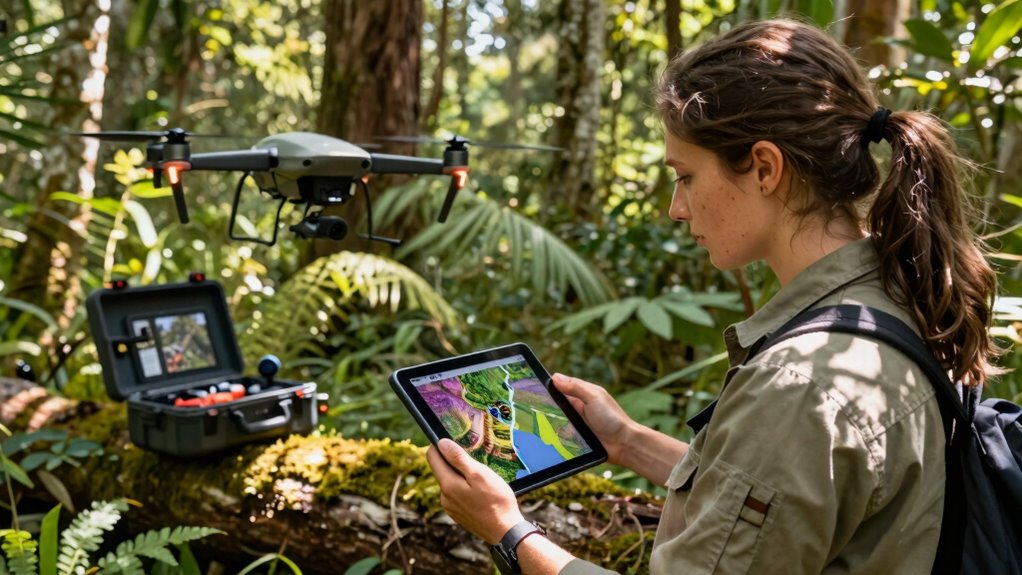
Mobile workflows have revolutionized habitat mapping by enabling you to collect, analyze, and share data directly in the field. Instead of cumbersome paperwork or waiting to return to the office, you can use integrated tools that streamline every step of your process. Drone integration plays a vital role here, allowing you to capture high-resolution aerial imagery with minimal effort. When you deploy a drone equipped with mapping software, it automatically transmits images and data to your mobile device, reducing the need for manual uploads and decreasing chances of error. This seamless connection means your data is fresh and ready for analysis almost instantly, keeping your workflow efficient and effective.
Drone integration streamlines habitat mapping with instant data transfer and minimal effort.
Data synchronization is another key aspect that keeps your habitat mapping process smooth. When your mobile device connects to the cloud or a centralized database, all your collected data updates automatically across platforms. This ensures that everyone on your team works with the latest information, no matter where they are. Data synchronization eliminates the hassle of managing multiple versions of files or manually transferring data, which can be both time-consuming and prone to mistakes. It also simplifies collaboration, as your team members can access real-time data, share insights, and make informed decisions quickly.
To avoid your workflow turning into busywork, it’s imperative to leverage automation features within your mapping tools. Many mobile applications now include automated data processing, such as geo-referencing images, tagging features, and generating preliminary maps. These features save you hours of manual work, allowing you to focus on interpretive tasks rather than data entry. By integrating drone data and guaranteeing continuous data synchronization, you’re creating a system that works for you, rather than adding layers of unnecessary steps.
Furthermore, the right mobile workflow adapts to your needs. Customizable dashboards and filters help you prioritize essential data, avoiding information overload. When drone integration and data synchronization are well-implemented, you don’t have to worry about missing vital habitat details or dealing with disorganized data sets. Instead, your workflow becomes a cohesive process that supports rapid decision-making and ongoing habitat monitoring. This efficiency ultimately makes habitat mapping more productive, less tedious, and less prone to errors, so you can dedicate more time to meaningful analysis and conservation efforts.
In addition, understanding the importance of automated data processing can significantly enhance your overall workflow efficiency, as it reduces manual input and potential errors.
drone with high-resolution mapping camera
As an affiliate, we earn on qualifying purchases.
As an affiliate, we earn on qualifying purchases.
Frequently Asked Questions
How Do Mobile Workflows Integrate With Existing GIS Systems?
Mobile workflows seamlessly integrate with your existing GIS systems through data synchronization, ensuring your habitat mapping data stays current across platforms. You can automate workflows to reduce manual tasks, making data collection and updates more efficient. This integration allows you to streamline processes, avoid duplication, and maintain data integrity, so your team can focus on analysis and decision-making without getting bogged down in busywork.
What Are the Best Devices for Habitat Data Collection?
Did you know 85% of field data collectors prefer rugged tablets for habitat data collection? The best devices include rugged tablets or smartphones with strong durability, excellent battery optimization, and reliable data synchronization features. Look for devices that can withstand harsh environments and have long battery life, ensuring you stay productive in the field. Prioritize those that seamlessly sync data with your GIS system, so your habitat mapping efforts stay efficient and accurate.
How Is Data Quality Maintained During Mobile Habitat Surveys?
You maintain data quality during mobile habitat surveys by implementing rigorous data validation processes on your devices, guaranteeing accuracy instantly. Use built-in quality assurance features like real-time error checks, GPS validation, and standardized input forms to catch inconsistencies early. Regularly review and cross-verify collected data, and train yourself to recognize common errors. This proactive approach helps ensure your habitat data remains reliable and precise throughout your survey efforts.
Can These Workflows Be Customized for Different Habitat Types?
Yes, these workflows can be customized for different habitat types. You can tailor data collection forms and protocols to capture habitat diversity and ecosystem specificity, ensuring you gather relevant, detailed information. By adjusting workflows for each habitat, you improve accuracy and relevance, making your surveys more effective. Customization helps you address unique features of various habitats, streamlining data collection while maintaining consistency and quality across diverse ecosystems.
What Training Is Needed for Field Staff Using Mobile Workflows?
To guarantee effective use of mobile workflows, you need to provide targeted training that addresses common training challenges and boosts user proficiency. Focus on hands-on practice, clear instructions, and troubleshooting techniques. Keep training sessions engaging and adaptable to different skill levels. By doing this, your field staff gains confidence, reduces errors, and maximizes workflow efficiency, ultimately making habitat mapping more accurate and less burdensome.
As an affiliate, we earn on qualifying purchases.
Conclusion
By streamlining your habitat mapping workflows with mobile tools, you can avoid turning valuable fieldwork into busywork. Embrace technology that simplifies data entry and analysis, freeing you to focus on what truly matters—understanding and protecting habitats. Remember, “A stitch in time saves nine,” so invest in efficient workflows now to prevent cumbersome tasks later. With smart mobile solutions, your efforts become more effective, impactful, and sustainable.
cloud data synchronization device
As an affiliate, we earn on qualifying purchases.
As an affiliate, we earn on qualifying purchases.
As an affiliate, we earn on qualifying purchases.
Halloween Picks
halloween
As an affiliate, we earn on qualifying purchases.