
To take useful field notes without slowing down, focus on capturing the essentials quickly by using abbreviations, shorthand, and short, clear sentences. Stay organized with a consistent system like color coding or numbering, and consider digital tools that allow tagging, images, and quick searches. Prepare your setup beforehand, using templates or folders, to streamline data entry. Balance detail with efficiency so your workflow remains smooth. Keep going to discover more tips on staying organized and efficient in the field.
Key Takeaways
- Focus on capturing essential details using abbreviations and shorthand to save time.
- Prepare templates and organize folders in advance for quick note entry during fieldwork.
- Use bullet points and short sentences to streamline recording without sacrificing clarity.
- Incorporate multimedia like photos or audio to supplement notes efficiently without extra effort.
- Regularly review and organize notes afterward with tags or summaries to enhance accessibility.

Taking effective field notes is vital for capturing accurate and useful information during your research or observations. The way you organize your notes can make all the difference in how quickly you access and interpret your data later. To avoid slowing yourself down, focus on note organization from the start. Use a consistent system—whether that’s numbering, color coding, or specific symbols—to categorize observations, questions, and key points. This structured approach allows you to quickly locate specific details later without sifting through disorganized jottings. When taking notes in real-time, don’t worry about capturing every word; instead, focus on capturing the essence. Use abbreviations and shorthand where appropriate, but ensure they’re meaningful to you. Over time, developing your personal shorthand will speed up your note-taking process without sacrificing clarity. Additionally, note organization can help keep your workflow efficient and reduce the chances of losing important data. Digital tools can considerably enhance your note organization and efficiency. Instead of traditional paper notebooks, consider using apps designed for field work, such as Evernote, OneNote, or specialized survey tools. These apps often allow you to tag notes, insert images, and sync across devices, making it easier to keep everything organized and accessible. Using digital tools also allows for quick searching, which can save you valuable time when reviewing your notes. Many apps offer templates or customizable formats that help you maintain consistency across your entries, which is essential for quick comprehension later. Additionally, digital note-taking reduces the risk of losing your notes, especially if your device is backed up regularly. Incorporating structured note-taking methods can further improve your ability to organize and interpret data efficiently, especially during extensive or complex observations. The ability to add multimedia—photos, audio recordings, or even sketches—directly into your notes ensures you capture complete data without interrupting your observation flow. To keep your note-taking seamless, prepare your digital setup before heading out. Create templates or folders that align with your research focus, so you’re not wasting time figuring out where to place new notes. When observing, use short, clear sentences and bullet points to streamline data entry. If you’re using voice notes or dictation features, make sure to review and organize these recordings later, adding relevant tags or summaries. Remember, the goal is to record enough detail to be useful, but not so much that it slows you down or overwhelms your workflow. With a consistent system for note organization and the right digital tools, you’ll improve your efficiency, capture richer data, and be better prepared when it’s time to analyze your findings.

Ophaya Digital Smart Pen Smart Notebook and Board Writing Set for Note Taking | Gifts for Adults Women Men Coworkers Teachers Students Friends | Sync Paper Notes to Phone Instantly | Convert to Text
- Real-time Digital Syncing: Syncs handwritten notes to phone instantly
- Searchable Handwritten Notes: Find specific words or phrases easily
- OCR Text Conversion: Converts handwriting to editable digital text
As an affiliate, we earn on qualifying purchases.
As an affiliate, we earn on qualifying purchases.
Frequently Asked Questions
What Are the Best Tools for Quick Field Note-Taking?
You should consider using digital apps like Evernote or Notion for quick field note-taking, as they let you jot down thoughts rapidly and sync across devices. A compact pen, such as a gel or ballpoint, works well for quick, legible handwriting in notebooks. Combining digital apps with a reliable pen type lets you capture details swiftly without missing important observations, keeping your workflow efficient and effective.
How Can I Stay Organized With大量Notes?
You can stay organized by creating a system that leverages memory triggers and visual cues. Use color coding, symbols, or sketches to categorize notes quickly. Develop a consistent shorthand or abbreviation method to capture key ideas fast. Regularly review and revise your notes, linking related thoughts with visual cues. This approach helps your memory triggers activate connections naturally, keeping your大量notes clear, accessible, and easy to navigate without slowing your workflow.
How Do I Balance Detail With Speed?
To balance detail with speed, focus on capturing key points rather than every detail, striking a balance between brevity and detail. Use shorthand or abbreviations to maintain speed while ensuring accuracy. Prioritize essential information that supports your goals, and don’t get bogged down with minor specifics. Practice quick note-taking to improve your ability to record accurately without sacrificing speed, ultimately enhancing both your efficiency and the usefulness of your notes.
What’s the Ideal Note-Taking Method for Different Environments?
You need a note-taking method that adapts effortlessly to every environment, like a chameleon blending into any scene. For fast-paced settings, use shorthand and quick sketches to maintain note-taking flexibility without missing details. In quieter environments, expand your notes with more detail. Always carry versatile tools like a small notebook or digital device, so you can switch seamlessly between environments, ensuring your notes stay sharp and relevant no matter where you are.
How Can I Review Notes Effectively Later?
To review notes effectively later, focus on enhancing memory retention by regularly revisiting your notes. Use visual summarization techniques like diagrams or color coding to make key points stand out. Break down complex information into smaller chunks and create quick summaries. This approach helps you quickly grasp main ideas, reinforces learning, and makes recall easier during review sessions. Consistent, active engagement with your notes boosts long-term retention.

Digital Voice Recorder 16GB Voice Recorder with Playback for Lectures – USB Rechargeable Dictaphone Upgraded Small Tape Recorder Device
- Simple One-Button Operation: Easy to record, stop, and playback
- High-Quality Clear Voice: Noise reduction for crisp recordings
- Voice Activated Recording: Automatically records when sound is detected
As an affiliate, we earn on qualifying purchases.
As an affiliate, we earn on qualifying purchases.
Conclusion
Think of your field notes as a river flowing swiftly through a landscape. If you try to hold every pebble or log, you’ll slow the current and miss the flow. Instead, gently guide the water, capturing only the most essential treasures—key observations and insights—without blocking its path. With practice, your notes will stream effortlessly, carrying valuable knowledge downstream without interruption, allowing you to explore the terrain fully while keeping your journey smooth and productive.

Mr. Pen- Bible Highlighters with Color-Coding System, 8 Pack
- Pack Size: 8 pastel highlighters in set
- Tip Type: Chisel tip for broad and fine lines
- Color System: Color-coded categories for organization
As an affiliate, we earn on qualifying purchases.
As an affiliate, we earn on qualifying purchases.
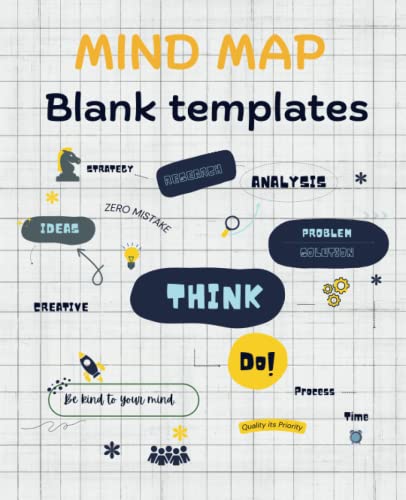
Mind Map Blank Templates: 7.5 x 9.25 Inch, 4 Styles of Mind Mapping Template for your class notes, brainstorming, planning, and creative ideas
As an affiliate, we earn on qualifying purchases.
As an affiliate, we earn on qualifying purchases.