
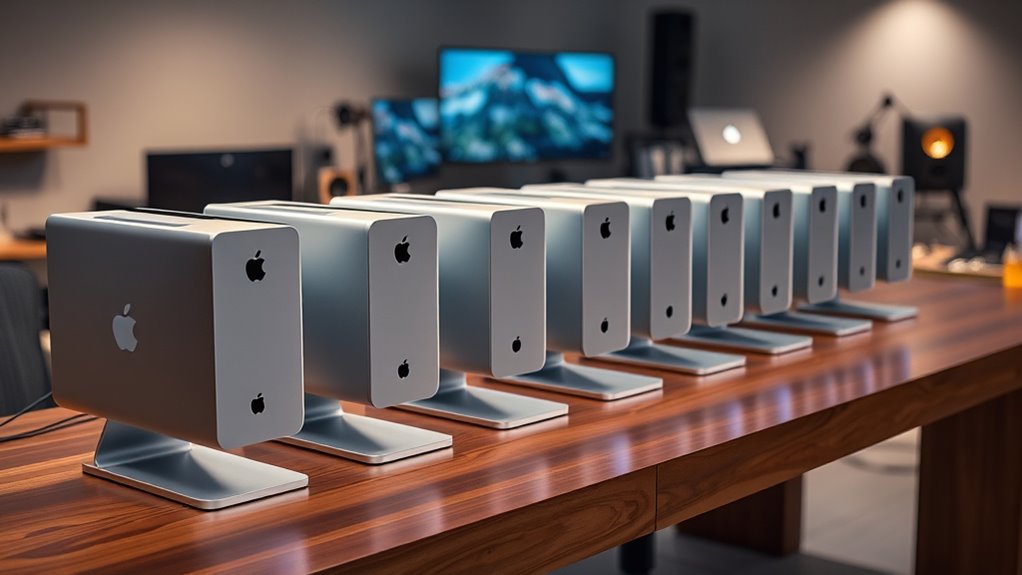

I compared these five Mac Studio listings by the details that matter most when buying renewed or evaluating a listing with unclear configuration: confirmed memory and storage, chip capability, included coverage, and how much performance a typical creative workload can use. My leading choice for a clearly specified renewed setup is the 2022 M1 Max with 32GB of memory and a 1TB SSD. The M3 Ultra configuration is the performance pick for unusually demanding work, while the M1 Max with 512GB is the lower-storage alternative for buyers who already rely on external drives.

Get garden gear delivered free with Prime
- Fast, free delivery on millions of items
- Prime Video, Amazon Music and more included
- Member-only deals all year
The tradeoff is substantial: the renewed M1 Max listings give you stated configurations, but their descriptions mention non-original accessories and do not claim Apple certification. The newer M5 Max listings describe compelling capabilities, yet do not confirm the exact memory or storage for the unit being offered. I rank these options by how confidently a buyer can match the listing to a real workload—not by chip generation alone. Before ordering, I would verify the operating system, exact configuration, and renewal or coverage terms shown on the live listing.
Complete the kit


Key Takeaways
- Best clearly specified renewed configuration: the 2022 M1 Max listing with 32GB of memory and a 1TB SSD states both capacities, so it is easier to plan around than the M5 Max listings.
- Best for extreme workloads: the M3 Ultra listing specifies a 28-core CPU, 60-core GPU, 256GB of unified memory, and 2TB SSD, though buyers should verify the listing details and accept limited upgradeability.
- Best lower-storage entry point: the renewed M1 Max with 512GB keeps the 32GB memory configuration but leaves less room for active projects than the 1TB model.
- Best coverage proposition: the M5 Max listing includes three years of AppleCare+, but its exact memory and storage configuration is not stated.
- Do not assume configurations are interchangeable: the M5 Max listings describe maximum capabilities, not confirmed capacities, and the renewed listings may include generic packaging or non-original accessories.
| Apple Mac Studio (2022) with M1 Max, 32GB RAM, 1TB SSD, Silver (Renewed) |  | Best Overall for a Clearly Specified Renewed Setup | Model: Apple Mac Studio (2022) | Processor: Apple M1 Max, 10-core CPU | Graphics: Integrated 24-core GPU | VIEW ON AMAZON | See Our Full Breakdown |
| Apple Mac Studio M3 Ultra with 28-Core CPU, 60-Core GPU, 256GB Storage |  | Best for Memory-Heavy Professional Work | Processor: M3 Ultra, 28-core CPU | Graphics: 60-core GPU | Unified memory: 256GB | VIEW ON AMAZON | See Our Full Breakdown |
| Apple Mac Studio Desktop Computer with M5 Max Chip and AppleCare+ (3 Years) |  | Best Coverage Bundle | Chip: Apple M5 Max | Unified memory: Up to 128GB; unit configuration not stated | Memory bandwidth: Up to 614GB/s | VIEW ON AMAZON | See Our Full Breakdown |
| Apple 2022 Mac Studio with M1 Max Chip, 10-Core CPU, 32GB RAM, 512GB SSD (Renewed) |  | Best Lower-Storage M1 Max Option | Model: Apple 2022 Mac Studio | Processor: Apple M1 Max, 10-core CPU | Memory: 32GB RAM | VIEW ON AMAZON | See Our Full Breakdown |
| Apple Mac Studio Desktop Computer with M5 Max |  | Best Newer-Generation Platform if Configuration Is Confirmed | Chip: Apple M5 Max | Maximum unified memory: Up to 128GB; unit configuration not stated | Memory bandwidth: Up to 614GB/s | VIEW ON AMAZON | See Our Full Breakdown |
| renewed mac studio desktop | Processor | Graphics | Storage |
|---|---|---|---|
| Apple Mac Studio | Apple M1 Max, 10-core CPU | Integrated 24-core GPU | 1TB SSD |
| Apple Mac Studio M3 Ultra with | M3 Ultra, 28-core CPU | 60-core GPU | 2TB SSD listed in specifications |
| Apple Mac Studio Desktop Compu | — | — | — |
| Apple 2022 Mac Studio with M1 | Apple M1 Max, 10-core CPU | Integrated graphics, as listed | 512GB SSD |
| Apple Mac Studio Desktop Compu | — | — | — |
More Details on Our Top Picks
Apple Mac Studio (2022) with M1 Max, 32GB RAM, 1TB SSD, Silver (Renewed)
This is my leading pick because its 32GB memory and 1TB SSD are explicitly listed, making it easier to judge against a real workflow than either M5 Max offer, where the unit’s actual capacities are not stated. The M1 Max pairs a 10-core CPU with a 24-core GPU, a capable foundation for editing, design, and other sustained creative work without stepping up to the M3 Ultra’s much larger stated resources.
The 1TB SSD is the practical advantage over the 512GB M1 Max: it gives active projects and applications more internal room before external storage becomes part of the routine. This remains a renewed, non-Apple-certified listing, however, and the seller says packaging may be generic and accessories may be non-original. The listing also identifies macOS High Sierra, a detail that deserves direct clarification before buying; I would not assume that stated operating system reflects the system version a buyer will receive. The 90-day replacement or refund eligibility is useful, but it is not the same as AppleCare+.
Pros:- Specific 32GB memory and 1TB SSD configuration
- M1 Max includes a 10-core CPU and 24-core GPU
- Professionally inspected, tested, and cleaned according to the listing
- Listing states eligibility for replacement or refund within 90 days
Cons:- Not Apple certified; accessories and packaging may not be original
- The stated macOS High Sierra version should be verified before purchase
- Older M1 Max platform than the M5 Max and M3 Ultra options
Best for: Creative professionals who want a Mac Studio with memory and storage capacities stated up front, plus enough internal SSD space for a working project library.
Not ideal for: Buyers who require Apple-certified renewed hardware, original accessories, confirmed current macOS, or the newest chip generation.
- Model:Apple Mac Studio (2022)
- Processor:Apple M1 Max, 10-core CPU
- Graphics:Integrated 24-core GPU
- Memory:32GB
- Storage:1TB SSD
- Dimensions:10 x 7.7 x 3.7 inches
- Weight:5.9 pounds
- Condition:Renewed; professionally inspected, tested, and cleaned
- Coverage stated:Replacement or refund eligibility within 90 days, according to seller
Our verdict“I rank this first for buyers who value a known, balanced renewed configuration more than the newest chip label.”
Apple Mac Studio M3 Ultra with 28-Core CPU, 60-Core GPU, 256GB Storage
The M3 Ultra takes a different route from the M1 Max picks: it is built around scale rather than value or simple configuration clarity. The listing specifies a 28-core CPU, 60-core GPU, 256GB of unified memory, and a 2TB SSD. Those resources suit demanding media pipelines, large datasets, and workloads that can use substantial parallel processing or memory. Its stated support for up to eight displays, including 8K resolution, also separates it from the M5 Max listings, which specify support for up to five displays.
Compared with the M1 Max models, this is a much more specialized workstation, not a sensible default for every creative desktop buyer. The tradeoff is limited upgradeability after purchase; the configuration needs to fit the work from the outset. The supplied product title says “256GB Storage,” while the description and specs identify 256GB of unified memory and a 2TB SSD. I would confirm that the actual listing matches the latter configuration before ordering, since that wording discrepancy matters. This option’s higher-end hardware may be wasted on lighter editing or office workloads, and the listing provides less renewal-condition detail than the M1 Max renewed offers.
Pros:- M3 Ultra with a stated 28-core CPU and 60-core GPU
- 256GB unified memory listed for large or memory-intensive projects
- 2TB SSD capacity stated in the specifications
- Supports up to eight displays and 8K resolution, according to the listing
Cons:- Limited upgradeability makes configuration choice consequential
- Product title’s storage wording conflicts with the detailed memory and SSD specs
- The listing gives less renewal-condition information than the renewed M1 Max options
Best for: Video, 3D, compute, and data professionals whose applications can use high core counts, 256GB unified memory, and multiple high-resolution displays.
Not ideal for: General-purpose users, buyers who need a clearly documented renewed condition, or anyone wanting to add memory or storage later.
- Processor:M3 Ultra, 28-core CPU
- Graphics:60-core GPU
- Unified memory:256GB
- Storage:2TB SSD listed in specifications
- Display support:Up to 8 displays; up to 8K resolution, according to listing
- Connectivity:Thunderbolt 5, USB 3, HDMI 2.1, 10Gb Ethernet
- Upgradeability:Limited after purchase
Our verdict“I recommend this only when a workload can use its unusually large stated CPU, GPU, and memory resources.”
Apple Mac Studio Desktop Computer with M5 Max Chip and AppleCare+ (3 Years)
This M5 Max listing stands out for three years of AppleCare+, which gives coverage-minded buyers a clearer protection proposition than the seller-stated 90-day replacement or refund eligibility on the renewed M1 Max. It also describes a compact Mac Studio with four Thunderbolt 5 ports, Wi-Fi 7, Bluetooth 6, and support for up to five external displays. Those details point to a current, well-connected platform for creative and AI-oriented workflows.
But the coverage does not resolve the biggest buying uncertainty: the exact memory and storage configuration is not specified. “Up to 128GB” describes a possible maximum, not a confirmed amount for this unit, and the storage capacity is absent. That makes it harder to compare with the 32GB/1TB M1 Max, even though the M5 Max chip is newer. I would put this ahead of the other M5 Max listing for buyers who value the included coverage, but only after verifying the unit’s actual configuration and checking that the coverage applies as represented. The M3 Ultra is the clearer choice for very large stated memory needs; this bundle is more compelling when protection and newer connectivity lead the decision.
Pros:- Includes AppleCare+ for three years, according to the listing
- M5 Max is described for demanding creative and AI workflows
- Four Thunderbolt 5 ports plus USB-C, USB-A, HDMI, and SDXC
- Supports up to five external displays
Cons:- Exact memory and storage capacities are not stated
- The 128GB figure is a maximum capability, not a confirmed unit configuration
- Coverage details and eligibility should be verified for the specific purchase
Best for: Buyers who prioritize the stated three-year AppleCare+ bundle and want an M5 Max platform, provided the seller confirms the exact memory and SSD configuration.
Not ideal for: Anyone who needs confirmed storage and memory before choosing, or who wants the M3 Ultra’s explicitly stated 256GB unified memory.
- Chip:Apple M5 Max
- Unified memory:Up to 128GB; unit configuration not stated
- Memory bandwidth:Up to 614GB/s
- Thunderbolt:Four Thunderbolt 5 ports
- Other ports:Two USB-C, two USB-A, HDMI, SDXC card slot, headphone jack
- Wireless:Wi-Fi 7 and Bluetooth 6
- External displays:Up to five
- Included coverage:AppleCare+ for 3 years, according to listing
Our verdict“I favor this M5 Max bundle over the non-bundled M5 Max listing when coverage matters, but only after configuration confirmation.”
Apple 2022 Mac Studio with M1 Max Chip, 10-Core CPU, 32GB RAM, 512GB SSD (Renewed)
This renewed M1 Max keeps the same stated 32GB of RAM and 10-core CPU as the 1TB model, while cutting internal storage to 512GB. That can make sense for a buyer who keeps source footage, archives, and large libraries on external drives or network storage. For workloads that lean more on CPU, GPU, and memory than local capacity, the core platform is closer to the 1TB option than the smaller SSD figure might suggest.
The storage reduction is the defining compromise. Compared with my overall pick, the 1TB model gives more breathing room for applications and active projects, so I would choose this one only if external storage is already part of the setup. The listing says the unit has been inspected and tested and has no visible cosmetic imperfections, but accessories may not be original and it is not Apple certified. It also includes confusing specifications such as a 24-inch display size for a desktop computer and a battery-capacity statement; I would not treat those fields as reliable evidence of what is included. Confirm the package contents, operating system, and renewal terms before purchase.
Pros:- M1 Max with a stated 10-core CPU
- 32GB RAM matches the higher-storage renewed M1 Max listing
- 512GB SSD is specified
- Listing says the unit has been inspected and tested
Cons:- Half the stated SSD capacity of the 1TB M1 Max pick
- Not Apple certified; accessories may be non-original
- Some listing fields appear inconsistent with a desktop, so package details merit verification
Best for: M1 Max buyers who want 32GB of memory and can keep large projects on external storage rather than the internal SSD.
Not ideal for: People who want a large internal project library, expect a self-contained storage setup, or require Apple-certified renewal.
- Model:Apple 2022 Mac Studio
- Processor:Apple M1 Max, 10-core CPU
- Memory:32GB RAM
- Storage:512GB SSD
- Graphics:Integrated graphics, as listed
- Condition:Renewed; inspected and tested, according to listing
- Accessories:May be non-original but are described as functional
- Certification:Not Apple certified, according to listing
Our verdict“I would choose this over the 1TB M1 Max only when external storage is already planned and internal capacity is secondary.”
Apple Mac Studio Desktop Computer with M5 Max
This M5 Max listing promises the broadest stated connectivity among the compact options here: four Thunderbolt 5 ports, two USB-C, two USB-A, HDMI, and an SDXC slot, alongside Wi-Fi 7 and support for up to five external displays. It is described for demanding creative, graphics, and on-device AI work, and the listed memory ceiling reaches 128GB. Those capabilities make it appealing to a buyer building a modern multi-display workstation.
Its position is lower because the listing does not say how much memory or storage the offered unit actually has. That is a bigger obstacle than the newer chip is an advantage: the M1 Max models are older, but their 32GB memory and SSD capacities are concrete. Compared with the AppleCare+ M5 Max listing, this one does not state bundled three-year coverage, so it gives less basis for a coverage-first choice as well. I would only shortlist it after confirming the configuration, renewal status if applicable, and any included protection directly with the seller. Without those answers, the advertised maximums are not enough to make a confident workstation plan.
Pros:- M5 Max is described for demanding creative and AI workflows
- Broad port selection includes Thunderbolt 5, USB-A, HDMI, and SDXC
- Supports up to five external displays
- Compact design with an advanced thermal system, according to listing
Cons:- The offered memory and storage capacities are not specified
- Up-to-128GB memory describes a ceiling rather than a confirmed configuration
- No AppleCare+ bundle is specified in the supplied description
Best for: A buyer seeking the M5 Max platform, broad port selection, and multi-display support who can confirm the exact unit configuration before purchase.
Not ideal for: Anyone who needs a clearly stated RAM and SSD capacity or wants the AppleCare+ bundle identified in the other M5 Max listing.
- Chip:Apple M5 Max
- Maximum unified memory:Up to 128GB; unit configuration not stated
- Memory bandwidth:Up to 614GB/s
- Ports:Four Thunderbolt 5, two USB-C, two USB-A, HDMI, SDXC, headphone jack
- Wireless:Wi-Fi 7 and Bluetooth 6
- External displays:Up to five
- Dimensions:7.76 x 7.76 x 3.74 inches
- Weight:5.94 pounds
Our verdict“I see this as a capable M5 Max platform on paper, but not a clear buy until the exact configuration is confirmed.”

How We Picked
I ranked these listings around a practical question: Can a buyer tell what configuration is being offered, and does that configuration suit the work? A renewed desktop purchase depends on more than the chip name. Confirmed memory and storage affect project capacity from day one, while renewal condition and coverage details shape what a buyer can verify before committing.
I gave weight to specific, stated configurations. That favors the renewed M1 Max models, which list memory and SSD capacity, and the M3 Ultra listing, which supplies detailed core counts and capacities. The M5 Max listings have the newest stated chip and broad connectivity, but their descriptions only say memory is available up to 128GB and leave the offered storage unspecified. I treat those maximums as capability claims, not promises about the particular unit.
I also compared the listings by intended workload. For everyday professional creative work, a known M1 Max configuration may be more useful than an unknown newer configuration. For large compute, graphics, or memory-heavy projects, the M3 Ultra’s stated resources set it apart. The AppleCare+ bundle earns a distinct place for buyers who prioritize coverage, but it cannot make an unclear configuration clear. Finally, I have not assumed the supplied operating-system details are current or internally consistent; buyers should confirm the installed macOS and renewal terms directly on the listing before purchase.
| renewed mac studio desktop | Processor |
|---|---|
| Apple Mac Studio | Apple M1 Max, 10-core CPU |
| Apple Mac Studio M3 Ultra with | M3 Ultra, 28-core CPU |
| Apple Mac Studio Desktop Compu | — |
| Apple 2022 Mac Studio with M1 | Apple M1 Max, 10-core CPU |
| Apple Mac Studio Desktop Compu | — |
Factors to Consider When Choosing Renewed Mac Studio Desktops
For a renewed Mac Studio, I would compare the exact unit configuration and condition details before treating chip generation as the deciding factor. These listings range from clearly stated renewed M1 Max models to newer M5 Max offers whose memory and storage capacities remain unspecified.
Start with confirmed memory and storage
Memory and internal storage are difficult to treat as minor details on a compact professional desktop. They shape how large a project can stay readily available and how much room applications and working files have before external drives enter the picture. The 1TB M1 Max is the clearest all-round configuration in this group; the 512GB model makes a better fit when a buyer already has a storage plan. By contrast, the M5 Max listings state maximum memory figures but not the capacities supplied with the offered units. I would ask for those exact numbers before choosing either one.
Match chip capability to the work
The M1 Max’s 10-core CPU and 24-core GPU offer a defined platform for many creative workflows. The M3 Ultra listing moves into a different class with a 28-core CPU, 60-core GPU, and 256GB of unified memory, making it a more appropriate candidate for workloads that can use substantial parallel compute or memory. The M5 Max listings promise a newer platform aimed at creative and AI tasks, but their specific unit configurations are not documented here. I would not pay for a higher ceiling unless the applications and projects can use it.
Check renewal condition, accessories, and coverage
Renewed does not mean every seller offers the same package. One M1 Max listing says it was professionally inspected, tested, and cleaned and identifies a 90-day replacement or refund eligibility; the other says inspected and tested but warns accessories may not be original. Neither is Apple certified according to the supplied details. The AppleCare+ M5 Max listing has a distinct three-year coverage claim, which is not interchangeable with a seller’s return or replacement terms. I would verify the coverage provider, start date, transfer or eligibility rules, and what is included in the box.
Resolve listing inconsistencies before ordering
Some supplied fields deserve a direct question rather than a guess. The M1 Max 1TB listing names macOS High Sierra, while another desktop listing includes a display-size and battery-capacity field that does not clearly describe a Mac Studio. The M3 Ultra title uses “256GB Storage,” while its detailed specifications say 256GB unified memory and 2TB SSD. I would request confirmation of the exact model, installed operating system, memory, SSD, condition grade, and included accessories in writing. That simple check is especially useful when comparing renewed hardware with listings that describe a configuration ceiling rather than a specific unit.
Plan around ports and displays
Connectivity can determine whether the desktop fits an existing studio without extra adapters. Both M5 Max descriptions list Thunderbolt 5, USB-A, USB-C, HDMI, and an SDXC card slot, with support for up to five external displays. The M3 Ultra listing claims support for up to eight displays and includes 10Gb Ethernet in its connectivity details. The M1 Max listings have fewer port details in the supplied information, so buyers with specialized displays, fast wired networking, or card-based media workflows should verify the exact port layout for the particular model before relying on it.
Frequently Asked Questions
Which renewed Mac Studio in this comparison is the safest choice when I need a known configuration?
I would start with the renewed 2022 M1 Max listing that specifies 32GB of memory and a 1TB SSD. It provides more configuration certainty than either M5 Max listing, which gives maximum capability figures without stating the offered unit’s memory or storage. Its renewal status and accessories still need checking, and the stated operating-system detail should be verified before purchase.
Is the 1TB M1 Max worth choosing over the 512GB M1 Max?
I would favor the 1TB model if active projects, applications, or media libraries will live on the internal drive. The 512GB version retains the stated 32GB memory and M1 Max CPU but gives less room, so it suits buyers who already use external or network storage. These listings do not establish identical condition or package contents, so compare those details too.
Should I choose an M5 Max listing over a renewed M1 Max?
An M5 Max may suit buyers who want its newer platform and the listed Thunderbolt 5 connectivity, but the two offers here do not specify the exact memory or SSD configuration. The renewed M1 Max listings are older but state their capacities clearly. I would choose the M5 Max only after confirming the exact configuration and deciding that its platform and connectivity matter more than the M1 Max listing’s greater configuration certainty.
What should I verify about the AppleCare+ M5 Max offer?
I would confirm both sides of the offer: the actual memory and storage in the unit, and the AppleCare+ coverage details. The description states a three-year AppleCare+ bundle but does not state the unit’s exact capacities. Ask whether the plan is active, what its coverage period begins from, and whether the exact item being sold is eligible before relying on the bundle as a deciding factor.
Does the M3 Ultra make sense for every professional?
No. Its stated 28-core CPU, 60-core GPU, and 256GB unified memory make it the specialized pick for work that can use substantial compute and memory, rather than a default choice for every creative desktop buyer. The listing also says upgradeability is limited and its title conflicts with the detailed storage specification. I would verify the configuration and select it only when the workload justifies its larger resources.
Conclusion
For most buyers who want a defined renewed setup, I would choose the 2022 M1 Max with 32GB memory and a 1TB SSD, after verifying the operating system and seller terms. For large compute, graphics, or memory-intensive workloads, the M3 Ultra is the specialist choice, provided the listing’s title and configuration are reconciled. For a lower-storage M1 Max workstation, the 512GB model suits a buyer who already uses external drives. If AppleCare+ matters most, the M5 Max bundle has the clearest coverage claim, but I would confirm its memory and storage before buying. The non-bundled M5 Max is worth considering only when the seller can provide the missing configuration details. Across all five, I would treat stated capacities as more useful than maximum capability claims and verify renewal, accessories, and coverage on the live offer.