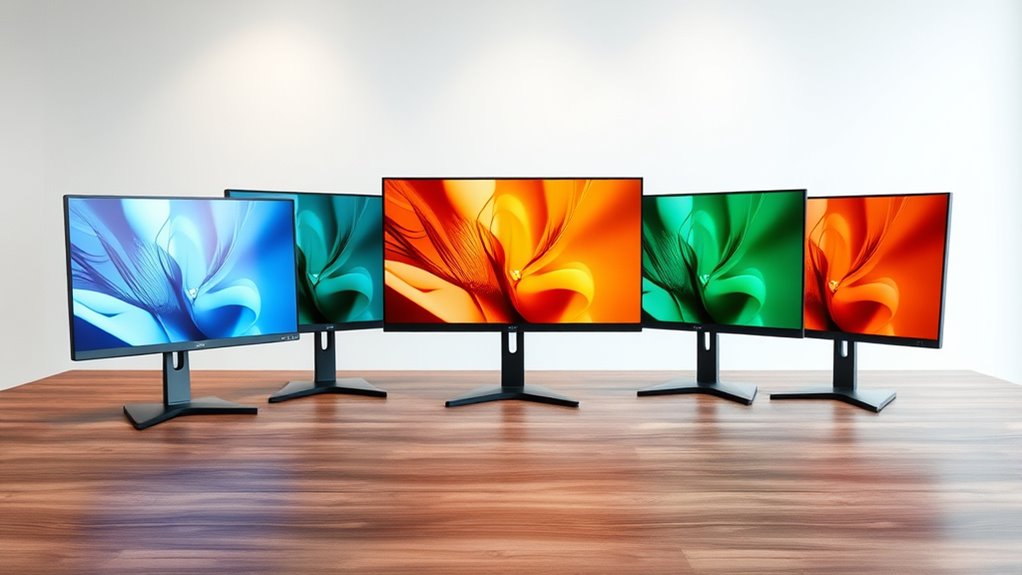

For readers searching for a 4K color E Ink monitor, these four Bigme options offer high-resolution color displays intended for reading, study, and document work with less of the direct glow associated with conventional screens. My top pick for a compact, paper-like workspace is the matte Bigme B13; the remote-control B13 stands out for flexible display modes; and the Bigme B251 is the large-screen choice for a desk setup.

Get garden gear delivered free with Prime
- Fast, free delivery on millions of items
- Prime Video, Amazon Music and more included
- Member-only deals all year
There is an important tradeoff behind those picks: these are not conventional 4K monitors, and E Ink’s slower refresh makes them poorly suited to fast motion. The listings also leave some specifications unclear, including resolution and refresh details on two B13 versions. I rank the options by how clearly their described features serve eye-comfort work, how practical the screen size and finish are, and how much uncertainty buyers must accept.
Complete the kit


Key Takeaways
- The matte-finish B13 is my strongest reading-focused pick, but its listing gives conflicting resolution information and specifies only 30 Hz.
- The remote-control B13 offers 4:3, 3200 × 2400 resolution and several work modes in a 1.5-pound portable package; its refresh figures conflict.
- The 25.3-inch B251 gives the most desktop area, but its stated 15 Hz refresh and 36 ms response time rule it out for smooth motion.
- The ivory B13 also lists 3200 × 2400 resolution, but its glossy finish may be less appealing to buyers seeking a paper-like surface.
- None of these models is described as a true 4K display; compare their stated resolutions and confirm the exact listing before buying.
| Bigme B13 13.3-Inch Color E-Paper Monitor |  | Best Overall for Matte, Reading-First Use | VIEW ON AMAZON | See Our Full Breakdown |
| Bigme B13 13.3-Inch Color E-Paper Monitor with Remote Control | | Best Portable Pick for Flexible Work Modes | VIEW ON AMAZON | See Our Full Breakdown |
| Bigme B13 13.3-Inch Color E-Ink Portable Monitor |  | Best Straightforward High-Resolution Compact Option | VIEW ON AMAZON | See Our Full Breakdown |
| Bigme B251 25.3-Inch Color E Ink Monitor |  | Best Large Desktop Screen for Static Work | VIEW ON AMAZON | See Our Full Breakdown |
More Details on Our Top Picks
Bigme B13 13.3-Inch Color E-Paper Monitor
I rank this B13 first for buyers whose main goal is a less reflective, paper-like reading surface. Its matte finish gives it a distinct comfort-focused advantage over the glossy ivory B13, while the 13.3-inch 4:3 format suits documents and text more naturally than the wide B251. Two USB-C ports and mini HDMI also give it a useful range of wired connection options for a compact monitor.
The listing mentions Wi-Fi, built-in speakers, a remote, and four display modes, so it is the most feature-rich compact option on paper. Those extras may help when switching between tasks, though they do not change the core E Ink compromise: 30 Hz is not a smooth-motion specification. Video, scrolling-heavy pages, and quick interface movement may feel less fluid than on a standard monitor. There is also a serious buying caveat: the listing states 3200 × 2400 resolution but separately gives 2560 × 1440 as native resolution. I would verify which figure applies to the exact unit before choosing it over the more clearly specified ivory B13.
Compared with the remote-control B13, this version has the clearest finish advantage but less certainty about its resolution. Compared with the B251, it is far easier to carry and better suited to close-up reading, but it offers much less screen area. I would choose it for text-focused comfort only after confirming its native display resolution.
Pros:- Matte finish is the most explicitly paper-like surface in this group.
- Compact 13.3-inch 4:3 screen is suited to documents and reading.
- USB-C and mini HDMI provide several connection options.
- Wi-Fi, speakers, remote, and four display modes add flexibility.
Cons:- The listing conflicts between 3200 × 2400 and 2560 × 1440 native resolution.
- Its stated 30 Hz refresh rate limits motion smoothness.
- The supplied details do not establish that every connection or feature works with every device.
Best for: Readers and document editors who want a portable matte color E Ink display and can verify the listed native resolution before purchase.
Not ideal for: People who need smooth video, fast scrolling, a large desktop canvas, or unambiguous resolution specifications.
Our verdict“I would pick this B13 for matte, reading-led use, but only after checking which resolution the specific listing actually delivers.”
Bigme B13 13.3-Inch Color E-Paper Monitor with Remote Control
This B13 earns second place by pairing a manageable 13.3-inch, 4:3 screen with several display modes: extended, mirror, presentation, portrait, and single display. At a listed 1.5 pounds, it is the most clearly described portable choice here, and the remote gives users a way to change display controls without reaching for the monitor. Its stated 3200 × 2400 resolution is a useful match for documents, although the listing’s refresh information needs clarification.
The advertised 60 Hz specification sounds more promising than the matte B13’s 30 Hz, but the same listing describes 30 FPS. Those figures are not interchangeable proof of real-world smoothness, so I would not select this version for motion work on the basis of the higher number. Its 33 ms response-time claim also signals that this is not designed to behave like a fast LCD. For readers, note-taking, and static reference material, those limitations may matter less than portability and mode choices.
Compared with the matte B13, this option presents a cleaner headline resolution but lacks the matte finish that most clearly supports a paper-like surface. Compared with the B251, it sacrifices screen area for portability. I rank it ahead of the ivory B13 for its stated display modes and remote, but below the matte option for buyers whose foremost preference is a non-glossy reading surface. I would confirm refresh behavior and brightness units with the seller.
Pros:- Listed 3200 × 2400 resolution on a portable 4:3 screen.
- Several modes support portrait, mirrored, extended, and presentation use.
- Remote control offers convenient display adjustments.
- At a listed 1.5 pounds, it is suited to moving between work areas.
Cons:- Refresh claims conflict: 60 Hz in the specifications and 30 FPS in the description.
- The 33 ms response-time figure does not suggest fast motion handling.
- No matte finish is specified.
Best for: People who want a light, portable color E Ink display for documents and presentations, with a remote and multiple screen arrangements.
Not ideal for: Buyers who need confirmed high-refresh performance, a matte panel, or a large workspace for several windows.
Our verdict“I would choose this B13 when portability and flexible layouts matter more than a confirmed refresh rate or matte finish.”
Bigme B13 13.3-Inch Color E-Ink Portable Monitor
This ivory B13 is the clearest compact option for buyers who want a stated 3200 × 2400 resolution without sorting through conflicting native-resolution figures. Its 4:3 screen is a sensible shape for pages, PDFs, and study notes, and touchscreen support can make direct interaction more natural than relying only on a connected computer. Mini HDMI and USB-C keep setup straightforward with compatible computers, tablets, and phones.
Its main weakness for an eye-comfort buyer is the glossy finish. A reflective surface can be less agreeable under bright windows or overhead lights than the matte B13, so I would place it where lighting is controlled. The color-mode pixel density is listed at 150 PPI, a detail worth weighing if fine text sharpness is a priority. Like the other compact versions, its 30 Hz refresh rate favors static work over fast scrolling or video.
Compared with the matte B13, this model has a more straightforward resolution claim and touchscreen support, but loses the paper-like matte surface and the extra listed features such as Wi-Fi and a remote. Compared with the larger B251, it is substantially more portable and more naturally suited to reading at close range, but it cannot provide the same broad workspace. I see it as the simpler compact choice when the resolution and touch interface matter more than surface finish.
Pros:- Stated 3200 × 2400 resolution on a compact 4:3 display.
- Touchscreen supports direct interaction with compatible devices.
- Mini HDMI and USB-C support broad wired connectivity.
- Listed compatibility includes Windows, macOS, iOS, and Android.
Cons:- Glossy finish may reflect bright surroundings.
- 30 Hz refresh rate is a poor fit for motion-heavy work.
- Color-mode pixel density is listed at 150 PPI.
Best for: Students and mobile workers who want a compact touchscreen for reading, study, and document editing and can manage screen reflections.
Not ideal for: Anyone working under strong glare, seeking a matte paper-like surface, or expecting fluid video and animation.
Our verdict“I would select this B13 for a compact touchscreen and a clear stated resolution, provided a glossy panel suits the workspace.”
Bigme B251 25.3-Inch Color E Ink Monitor
The B251 is the lineup’s outlier: a 25.3-inch, 16:9 color E Ink monitor built for a fixed desk rather than a bag. Its 3200 × 1800 resolution gives more space for large documents and side-by-side reference material than any B13. HDMI, DisplayPort, USB-C, and USB-A also make it the most connection-rich choice here. A customizable front light may help users adjust the display for different room conditions, though comfort remains personal and depends on the setup.
That expansive screen comes with the strongest motion warning in the group. The stated refresh rate is only 15 Hz, and the response time is 36 ms; I would treat this as a monitor for text, static charts, and reference material rather than fluid scrolling, animation, or video. Its glossy finish also makes room reflections relevant. The four refresh modes and voice controls add ways to adjust operation, but they do not erase the low-refresh tradeoff.
Compared with every B13, the B251 offers far more physical workspace and a front light, but it gives up portability and has the least favorable listed refresh rate. I place it fourth because the roundup prioritizes eye-comfort use across practical everyday tasks, and the motion limits narrow its audience. For a stationary reader who wants a large E Ink canvas and mostly static content, it may still make more sense than a small portable panel.
Pros:- Largest screen in this group at 25.3 inches.
- 3200 × 1800 resolution and 16:9 format provide desktop workspace.
- Customizable front light and four refresh modes offer adjustment options.
- HDMI, DisplayPort, USB-C, and USB-A cover several connection types.
Cons:- 15 Hz refresh rate is the lowest stated figure in this lineup.
- 36 ms response time limits motion responsiveness.
- Glossy finish may create reflections, and the large body is not portable.
Best for: Desk-based readers and researchers who want a large color E Ink area for static documents, charts, and reference material.
Not ideal for: People who need portability, smooth movement, frequent video playback, or a non-glossy screen.
Our verdict“I would buy the B251 for a fixed, static-work desk where screen area matters far more than motion smoothness.”

How We Picked
I ranked these four options around the promise in the search: color E Ink for more comfortable reading and desk work, not conventional monitor speed or gaming performance. I looked at each stated resolution, screen finish, size, connection options, portability, and the practical uses suggested by its features. A larger screen can make documents easier to view at a desk, while a portable 13.3-inch model is easier to carry and position close to reading material.
I also weighed drawbacks rather than treating E Ink as a cure for eye fatigue. A paper-like display may suit extended text work, but refresh rate, lighting, reflections, and individual comfort still matter. The B251’s listed 15 Hz and 36 ms response time are substantial motion limitations. The B13 listings have meaningful uncertainties: one reports both 3200 × 2400 and a different native resolution, while another lists 60 Hz alongside a 30 FPS description. I have not treated those conflicts as verified performance.
Finally, I have not labeled any model true 4K. The supplied resolutions are 3200 × 2400 or 3200 × 1800, and the listings use inconsistent terminology around display details. My ranking favors the clearest fit for a particular buyer, not an unsupported claim that one is universally best. Before ordering, I would confirm the exact version, native resolution, supported input modes, and included accessories on the seller’s current product page.
Factors to Consider When Choosing 4k Color E Ink Monitors For Eye Comfort
I would choose among these monitors by matching the display to the work that causes discomfort, rather than treating color E Ink as a one-size-fits-all upgrade.Match resolution claims to actual use
The supplied specs describe 3200 × 2400 for the compact B13 models and 3200 × 1800 for the B251, but they do not establish a true 4K panel. The matte B13 has a separate 2560 × 1440 native-resolution claim, while the remote B13 pairs a listed 60 Hz with a 30 FPS description. I would ask the seller to confirm the specific unit’s native resolution and supported input signal before purchase, especially if crisp small text is the priority.
Resolution alone does not tell the full comfort story. Screen size, viewing distance, scaling, and the type of material on screen affect how easy text is to read. The 13.3-inch 4:3 B13 models favor pages and close-up work; the B251’s larger 16:9 panel suits a broad desk canvas.
Choose a finish and lighting setup
Of these listings, only the matte B13 explicitly describes a matte finish. That makes it the most direct choice for people trying to reduce reflections, although a matte surface does not guarantee comfort for every viewer. The ivory B13 and B251 are listed as glossy, so I would pay closer attention to window placement and overhead lighting with those models.
The B251 adds a customizable front light, which can help when ambient lighting changes, but it is still a different arrangement from a standard backlit monitor. I would compare how each screen is meant to be lit and check whether front-light adjustment suits the room where I plan to read.
Treat refresh rate as a use-case limit
E Ink displays are better suited to relatively stable content than frequent movement. The two B13 listings that specify a refresh rate give 30 Hz, while the larger B251 lists 15 Hz and 36 ms response time. The remote-control B13’s 60 Hz figure conflicts with its 30 FPS description, so I would not assume it behaves like a conventional 60 Hz monitor.
For manuscripts, PDFs, dashboards that update slowly, and reference documents, these limits may be acceptable. If I need smooth video, animation, rapid scrolling, or games, I would choose a conventional display instead of expecting these models to match it.
Decide how much portability and workspace you need
The B13 family is the practical fit for a mobile desk or a small room. Their 13.3-inch, 4:3 screens are easier to position near reading material, and the remote-control version lists a weight of 1.5 pounds. The B251 is a different commitment: its 25.3-inch display offers more area for side-by-side content, but the supplied dimensions and size point to a stationary setup.
I would not choose a large screen just because it provides more pixels, nor a small one just because it is portable. Pick the size that lets you work at a comfortable viewing distance without sacrificing the layout your documents require.
Check the connection and accessory details
The compact models list USB-C and mini HDMI, and the matte version adds Wi-Fi, built-in speakers, and a remote in its feature description. The ivory model lists touch support and compatibility with Windows, macOS, iOS, and Android. The remote B13 describes several presentation and orientation modes. The B251 has HDMI, DisplayPort, USB-C, and USB-A, which can be useful on a permanent desk.
Compatibility language does not guarantee every device will support every feature through every cable. Before ordering, I would verify the required power arrangement, cable type, touch support on the intended operating system, and whether the remote or other accessories are included in the exact listing.
Frequently Asked Questions
Are these monitors true 4K displays?
The supplied specifications do not describe a true 4K resolution. The B13 listings state 3200 × 2400, although one also gives 2560 × 1440 as native resolution; the B251 states 3200 × 1800. I would treat these as high-resolution color E Ink options, not assume that the title phrase means a 3840 × 2160 panel, and confirm the exact native resolution before buying.
Which option is the best fit for eye-comfort reading?
I rank the matte Bigme B13 first for reading because its finish is explicitly described as matte and paper-like. That gives it a clearer reflection-related advantage than the glossy ivory B13 or glossy B251. Its resolution details conflict in the listing, however, so I would verify the native resolution. Comfort also varies with lighting, viewing distance, text size, and personal sensitivity.
Can I use these monitors for video or gaming?
I would not choose any of these as a primary video or gaming monitor. The listed refresh rates are 30 Hz for two B13 versions and 15 Hz for the B251, while the remote-control B13’s refresh claims conflict. E Ink is the better match for text and relatively static material; fast movement can look less fluid than it does on a conventional display.
Which model is easiest to carry?
The 13.3-inch B13 models are the portable choices, with the remote-control version explicitly listed at 1.5 pounds. The 25.3-inch B251 is intended for a much larger, stationary setup. If I needed a monitor for reading in more than one room or while travelling, I would focus on a B13 and confirm its measurements, weight, and connection needs.
What should I verify before ordering?
I would confirm the exact model, native resolution, refresh behavior, included remote or cables, power requirements, and compatibility with the computer or mobile device I plan to use. The matte B13 has conflicting resolution figures, and the remote-control B13 has conflicting refresh figures. Checking those details against the current listing can prevent a mismatch between the intended reading setup and the delivered configuration.
Conclusion
My recommendations depend on the work first. For matte, reading-first use, I would start with the Bigme B13 matte version, then verify its native resolution. For a portable display with multiple work modes and a remote, I would choose the remote-control B13 after clarifying its refresh-rate claims. For a compact touchscreen with a clear stated 3200 × 2400 resolution, the ivory B13 makes sense if a glossy surface suits the room. For large, static documents at a permanent desk, the B251 offers the most workspace, but its 15 Hz refresh is a real limitation.
I would skip all four if smooth video or fast interaction is central to the day. These are specialized color E Ink screens for people prioritizing reading and static work, not direct replacements for every standard monitor. Before choosing, I would verify the product listing’s unresolved specifications and select the finish and size that fit the actual workspace.
Halloween Picks
halloween
As an affiliate, we earn on qualifying purchases.