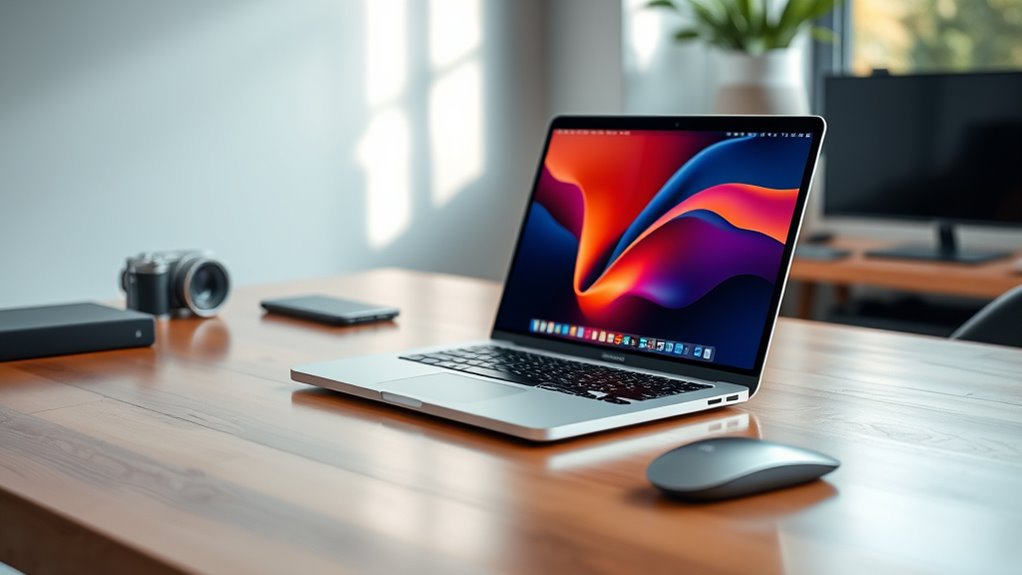

Choosing among 14-inch MacBook Pro configurations comes down to how much performance and storage you need, and how comfortable you are buying renewed. I’d start with the M4 Pro, 24GB configuration for demanding work, the M4 with 16GB for a newer everyday setup, and the 2021 M1 Pro with 1TB if built-in storage matters more than having a newer chip. Those distinctions matter more than the shared XDR display and familiar Pro port selection. Each listing is renewed, though, so condition, battery capacity, and listing accuracy deserve attention alongside the hardware.

Get garden gear delivered free with Prime
- Fast, free delivery on millions of items
- Prime Video, Amazon Music and more included
- Member-only deals all year
Complete the kit



Key Takeaways
- The M4 Pro with 24GB memory is the strongest fit here for sustained creative and technical workloads, with Thunderbolt 5 and a 512GB SSD.
- The 2024 M4 with 16GB offers a newer-generation chip for general work, but its renewed listing specifies a battery above 80% capacity and a 90-day warranty.
- The 2021 M1 Pro with 1TB provides the largest stated SSD in this group, though its listing has conflicting specification details that should be checked before purchase.
- The two 2021 M1 Pro options share 16GB memory and a 14-core GPU; the 1TB model is the storage pick, while the 512GB model has a simpler, more clearly stated configuration.
- All four are renewed, so I’d compare the seller’s condition and return terms as carefully as the chip, memory, and storage.
| Apple 14-inch MacBook Pro (2024) with M4 Pro, 24GB RAM, 512GB SSD, Silver, English QWERTY (Renewed) |  | Best Overall for Demanding Work | Model year: 2024 | Display: 14.2-inch Liquid Retina XDR | Chip: Apple M4 Pro | VIEW ON AMAZON | See Our Full Breakdown |
| Apple 2024 MacBook Pro with M4 Chip (14-inch, 16GB RAM, 512GB SSD) Space Black (Renewed) |  | Best for Everyday Work and Newer Chip Generation | Model year: 2024 | Display: 14-inch Liquid Retina XDR, 3024 × 1964 pixels | Chip: Apple M4 | VIEW ON AMAZON | See Our Full Breakdown |
| Apple 2021 MacBook Pro 14-inch with M1 Pro, 16GB RAM, 1TB SSD (Renewed) |  | Best for Buyers Who Need 1TB Internal Storage | Model year: 2021 | Display: 14-inch Liquid Retina XDR with ProMotion (verify listing) | Chip: Apple M1 Pro, 8-core CPU | VIEW ON AMAZON | See Our Full Breakdown |
| Apple MacBook Pro 14-inch (2021) with M1 Pro, 16GB RAM, 512GB SSD, Space Gray (Renewed) |  | Best Straightforward 2021 Pro Configuration | Model year: 2021 | Chip: Apple M1 Pro, 8-core CPU | Graphics: 14-core GPU | VIEW ON AMAZON | See Our Full Breakdown |
| inch macbook pro configuration | Model year | Display | Chip | Memory |
|---|---|---|---|---|
| Apple 14-inch MacBook Pro | 2024 | 14.2-inch Liquid Retina XDR | Apple M4 Pro | 24GB |
| Apple 2024 MacBook Pro with M4 | 2024 | 14-inch Liquid Retina XDR, 3024 × 1964 pixels | Apple M4 | 16GB |
| Apple 2021 MacBook Pro 14-inch | 2021 | 14-inch Liquid Retina XDR with ProMotion (verify listing) | Apple M1 Pro, 8-core CPU | 16GB unified memory (verify listing) |
| Apple MacBook Pro 14-inch | 2021 | 14-inch Liquid Retina XDR, 3024 × 1964 pixels | Apple M1 Pro, 8-core CPU | 16GB |
More Details on Our Top Picks
Apple 14-inch MacBook Pro (2024) with M4 Pro, 24GB RAM, 512GB SSD, Silver, English QWERTY (Renewed)
This is the most capable configuration in the group for buyers whose work can use a stronger chip and more memory. Its M4 Pro and 24GB unified memory give it more stated headroom than the 16GB M4 and M1 Pro alternatives, while the three Thunderbolt 5 ports make it the clearest choice here for newer high-speed peripherals. The 14.2-inch Liquid Retina XDR display, HDMI, SDXC slot, MagSafe 3, and headphone jack round out a setup aimed at people who use their laptop as a serious work machine.
The tradeoff is that the SSD is still 512GB, matching the smaller-capacity options rather than the 1TB M1 Pro. Buyers with large media libraries or project files may need external storage. It is also renewed, and the supplied listing gives no battery threshold or warranty detail, unlike the M4 listing. I’d choose it for compute and memory headroom, while checking the seller’s condition terms before committing.
Pros:- M4 Pro chip and 24GB memory give it the most stated performance headroom here.
- 14.2-inch Liquid Retina XDR display supports bright, detailed work.
- Three Thunderbolt 5 ports plus HDMI, SDXC, MagSafe 3, and headphone jack.
- Six-speaker audio and 12MP Center Stage camera are specified.
Cons:- 512GB SSD may constrain large media libraries and project files.
- Renewed listing does not specify battery capacity or warranty details.
- More capability than many everyday browsing and office workloads need.
Best for: People editing media, developing software, or managing demanding multitasking who want newer Pro-level performance and 24GB memory in a portable 14-inch laptop.
Not ideal for: Buyers who need 1TB internal storage, want a new unit, or prefer a listing with explicit battery and warranty details.
- Model year:2024
- Display:14.2-inch Liquid Retina XDR
- Chip:Apple M4 Pro
- Memory:24GB
- Storage:512GB SSD
- Ports:Three Thunderbolt 5, MagSafe 3, SDXC, HDMI, headphone jack
- Camera:12MP Center Stage
- Condition:Renewed
Our verdict“Choose this M4 Pro configuration when performance headroom and Thunderbolt 5 matter more than a larger internal SSD or clearer renewed-condition details.”
Apple 2024 MacBook Pro with M4 Chip (14-inch, 16GB RAM, 512GB SSD) Space Black (Renewed)
The standard M4 chip with 16GB memory makes this a balanced option for general productivity, study, coding, and moderate creative work. It shares the 512GB SSD and Liquid Retina XDR display with the M4 Pro listing, but steps down in chip tier and memory to serve buyers who do not need the extra capacity of the Pro configuration. Compared with either M1 Pro model, it offers a newer chip generation while keeping the familiar 14-inch Pro format.
This listing supplies more condition detail than the others: the battery is said to exceed 80% capacity, and a 90-day warranty is specified. That gives the buyer concrete information to weigh, though it does not promise the same battery condition as a new laptop. Accessories may not be original and packaging may be generic. The product details also describe its ports broadly as “3 USB ports,” so I would verify the exact port configuration with the seller if specific connections matter. For intensive work, the M4 Pro’s 24GB memory is the more comfortable pick; for a general-purpose machine, this is the more restrained newer-generation choice.
Pros:- 2024 M4 chip suits a broad range of everyday workloads.
- 16GB memory and 512GB SSD provide a balanced baseline configuration.
- Liquid Retina XDR display in the 14-inch Pro form factor.
- Listing states battery above 80% capacity and a 90-day warranty.
Cons:- Less stated chip and memory headroom than the M4 Pro configuration.
- Battery condition is not equivalent to a new unit.
- Accessories may be non-original and packaging may be generic.
- Port description is broad and should be verified if exact connections matter.
Best for: Students, office users, and general-purpose buyers who want a 2024 14-inch MacBook Pro for everyday tasks and value the stated battery threshold and warranty information.
Not ideal for: People who routinely run demanding creative workloads, need more than 16GB memory, or require a precise port list without checking the listing.
- Model year:2024
- Display:14-inch Liquid Retina XDR, 3024 × 1964 pixels
- Chip:Apple M4
- Memory:16GB
- Storage:512GB SSD
- Operating system:macOS 15.1
- Battery:Listing states above 80% capacity
- Warranty:90 days
Our verdict“For everyday work, this is the clearest newer-generation alternative to the M4 Pro, with useful renewal details but less performance headroom.”
Apple 2021 MacBook Pro 14-inch with M1 Pro, 16GB RAM, 1TB SSD (Renewed)
If internal storage is the deciding factor, this 2021 configuration stands out with a 1TB SSD, twice the capacity listed for the other three options. It pairs that space with an M1 Pro, 16GB unified memory, and 14-core GPU, plus a Liquid Retina XDR display with ProMotion. For a buyer keeping a substantial collection of work files on the laptop, that extra capacity can reduce reliance on external drives.
Its age and listing quality make it a more cautious choice than the 2024 M4 models. The supplied description conflicts over specifications, including display size and memory details, even though the main title and spec list state a 14-inch display and 16GB. I’d confirm those details before buying. The M4 with 16GB is newer, and the M4 Pro has more stated performance headroom; this one earns its place through storage capacity rather than being the strongest chip choice. Its renewed status adds another reason to inspect seller condition and return terms carefully.
Pros:- 1TB SSD is the largest stated storage capacity in this roundup.
- M1 Pro chip with an 8-core CPU and 14-core GPU.
- Liquid Retina XDR display with ProMotion.
- Includes Thunderbolt 4, HDMI, SDXC, MagSafe 3, and headphone jack in the supplied specs.
Cons:- Listing contains conflicting specifications that should be verified.
- 2021 M1 Pro is an older chip generation than either 2024 option.
- Renewed condition is stated without comparable battery or warranty detail.
Best for: Buyers who want a 1TB internal SSD for files and projects, prefer the M1 Pro’s stated 14-core GPU, and accept an older renewed configuration after verifying the listing.
Not ideal for: Anyone who wants the newest chip generation, a cleanly consistent product listing, or the reassurance of specific battery and warranty details in the supplied description.
- Model year:2021
- Display:14-inch Liquid Retina XDR with ProMotion (verify listing)
- Chip:Apple M1 Pro, 8-core CPU
- Graphics:14-core GPU
- Memory:16GB unified memory (verify listing)
- Storage:1TB SSD
- Ports:Thunderbolt 4, HDMI, SDXC, MagSafe 3, headphone jack
- Condition:Renewed
Our verdict“This is the storage-first pick, provided the buyer confirms the inconsistent listing details and is comfortable with a renewed 2021 model.”
Apple MacBook Pro 14-inch (2021) with M1 Pro, 16GB RAM, 512GB SSD, Space Gray (Renewed)
This configuration keeps the core 2021 Pro package straightforward: M1 Pro, 16GB memory, and a 512GB SSD, with the 14-inch XDR display and a stated 14-core GPU. It is a sensible fit for buyers who want a Pro-class screen and chip without prioritizing the 1TB capacity of the other M1 Pro listing. The title and supplied specs agree on the key memory and storage figures, giving this listing a clearer configuration picture than the 1TB version.
Compared with the 2024 M4, it gives up a newer chip generation; compared with the 1TB M1 Pro, it has half the internal storage. Its 2021-era connectivity is not detailed consistently: the description mentions HDMI, Wi-Fi, and Bluetooth, while the complete port list supplied for the other M1 Pro includes Thunderbolt 4, SDXC, and MagSafe 3. I’d check the actual ports and condition with the seller. The supplied information also says renewed and lists no warranty or battery capacity, so buyers should weigh those unknowns.
Pros:- M1 Pro chip with stated 8-core CPU and 14-core GPU.
- 16GB memory and 512GB SSD are clearly stated.
- 14-inch Liquid Retina XDR display at 3024 × 1964 resolution.
- Six-speaker audio and 1080p FaceTime HD camera are described.
Cons:- Older 2021 chip generation than the M4 configurations.
- 512GB SSD offers less capacity than the other M1 Pro listing.
- Renewed condition with no battery capacity or warranty details supplied.
- The provided connectivity list is less complete than the other M1 Pro listing.
Best for: Buyers who want the stated M1 Pro and 16GB configuration with a 512GB SSD, and who value a simpler listing over the 1TB alternative’s extra storage.
Not ideal for: People who need a newer-generation chip, 1TB internal capacity, or confirmed battery, warranty, and complete connectivity details.
- Model year:2021
- Chip:Apple M1 Pro, 8-core CPU
- Graphics:14-core GPU
- Memory:16GB
- Storage:512GB SSD
- Display:14-inch Liquid Retina XDR, 3024 × 1964 pixels
- Color:Space Gray
- Condition:Renewed
Our verdict“Pick this when a clearly stated 2021 M1 Pro and 512GB configuration fits your needs, and verify its condition and ports before ordering.”
How We Picked
I ranked these four listings by how clearly each configuration serves a distinct buyer need: current-generation performance, everyday capability, local storage, or a simpler entry into the 14-inch Pro lineup. I gave weight to the chip and memory combination because they shape how well a laptop handles demanding workloads and multitasking over time. I also compared SSD capacity, display and port details, and how clearly each listing describes its specifications.
Every option here is renewed, so I treated that condition as part of the decision rather than assuming each unit will arrive in identical shape. The M4 listing states that battery capacity exceeds 80% and includes a 90-day warranty; the other supplied descriptions do not give equivalent battery or warranty specifics. The 2021 1TB listing also contains conflicting specifications, which reduces confidence in its otherwise useful storage advantage. I can compare the supplied listing details, but they do not establish the condition of an individual unit.
The order reflects those tradeoffs. The M4 Pro ranks first for its performance headroom and newer connectivity. The M4 is the more sensible general-purpose alternative for buyers who do not need Pro-tier chip capability. The M1 Pro 1TB model ranks ahead of the 512GB version for buyers who prioritize internal storage, with a clear caution about its inconsistent listing. The 512GB M1 Pro remains a practical choice when the buyer wants the core 2021 Pro configuration and can work within less storage.
| inch macbook pro configuration | Chip | Ports |
|---|---|---|
| Apple 14-inch MacBook Pro | Apple M4 Pro | Three Thunderbolt 5, MagSafe 3, SDXC, HDMI, headphone jack |
| Apple 2024 MacBook Pro with M4 | Apple M4 | — |
| Apple 2021 MacBook Pro 14-inch | Apple M1 Pro, 8-core CPU | Thunderbolt 4, HDMI, SDXC, MagSafe 3, headphone jack |
| Apple MacBook Pro 14-inch | Apple M1 Pro, 8-core CPU | — |
Factors to Consider When Choosing 14 Inch Macbook Pro Configurations
I’d narrow the choice by matching the configuration to the workload, then check the details of the renewed listing. Chip generation matters, but storage, memory, connectivity, and condition can change which model is the practical fit.
Match the chip to your workload
The M4 Pro is the performance-first option in this group, with 24GB memory and Thunderbolt 5. It makes the most sense for work that can keep the processor and memory busy. The standard M4 with 16GB is a more measured choice for everyday computing and moderate creative tasks. The M1 Pro models remain capable configurations on paper, but their 2021 chip generation puts them behind the two 2024 options for buyers seeking the latest generation represented here.
Choose enough memory for your work
Only the M4 Pro listing specifies 24GB memory; the other three list 16GB. More memory can help when many applications or large creative projects are open together. If your workload is mostly documents, browsing, video calls, and light editing, 16GB may be a reasonable fit. I would prioritize 24GB when the intended work is demanding and the laptop needs to stay useful across heavier projects.
Think through local storage
The 1TB M1 Pro offers twice the listed SSD capacity of the three 512GB options. That matters for large video files, photo libraries, and projects kept on the laptop. The M4 Pro’s faster chip tier does not change its 512GB capacity, so performance-focused buyers may need external storage. I’d favor 1TB when keeping files local is central, but verify the 1TB listing’s conflicting details first.
Check ports and display needs
All four are 14-inch MacBook Pro configurations with a Liquid Retina XDR display in their supplied descriptions. The M4 Pro listing is the clearest about its Thunderbolt 5, HDMI, SDXC, and MagSafe 3 connections. The M1 Pro 1TB listing specifies Thunderbolt 4 and the same broad range of built-in connections. The other listings provide less exact port descriptions, so I’d confirm them with the seller if a card reader, external display connection, or particular cable setup is essential.
Treat renewed condition as part of the configuration
These are all renewed products, and the supplied condition details differ. The M4 listing states a battery capacity above 80% and a 90-day warranty. The other descriptions do not provide equivalent specifics. Renewed units can also differ in included accessories and packaging, as the M4 listing notes. Before choosing, check the seller’s current condition notes, warranty coverage, and return terms; those details affect how confidently you can compare otherwise similar hardware.
Frequently Asked Questions
Which configuration is the strongest for demanding workloads?
From the supplied specifications, the 2024 M4 Pro with 24GB memory has the most performance headroom in this group. It also has Thunderbolt 5, which may suit newer high-speed peripherals. The standard M4 is a newer-generation alternative for less demanding tasks, while the 2021 M1 Pro options offer 16GB memory and older-generation chips. The right fit still depends on the applications and project sizes you use.
Which option has the most internal storage?
The 2021 M1 Pro with a 1TB SSD has the most stated internal storage. The other three listings specify 512GB. That extra capacity can help keep larger media libraries and project files on the laptop. The 1TB listing has conflicting specification details, however, so I’d confirm the memory and display information with the seller before choosing it.
Is the standard M4 a better fit than the M4 Pro?
For general productivity, study, and moderate creative work, the M4 with 16GB may provide enough capability without the extra chip and memory headroom of the M4 Pro. The M4 Pro is the better fit when demanding applications or heavier multitasking are a priority. The M4 listing also provides a stated battery threshold and 90-day warranty, details not supplied for the M4 Pro listing. Both are renewed products, so review the seller’s current terms.
What should I verify before buying one of these renewed MacBooks?
I’d check the seller’s description of physical condition, battery capacity, warranty, return terms, and included accessories. Then I’d confirm the exact chip, memory, storage, screen, and ports. This matters especially for the 1TB M1 Pro listing, which contains conflicting details, and for listings with broad port descriptions. The M4 listing states battery capacity above 80% and a 90-day warranty; the supplied descriptions for the others do not give comparable figures.
Which configuration should I choose for everyday use?
For everyday work, I’d begin with the 2024 M4, 16GB memory, and 512GB SSD. It offers a newer chip generation than the 2021 M1 Pro models and is less specialized than the M4 Pro with 24GB. If you regularly handle demanding creative projects, the M4 Pro may be a better match. If local storage matters most, consider the 1TB M1 Pro only after checking its inconsistent listing details.
Conclusion
I’d choose the 2024 M4 Pro with 24GB for demanding creative or technical work, and the 2024 M4 with 16GB for everyday use when a newer chip and clearer supplied renewal details appeal. Buyers who need more local space should look at the 1TB M1 Pro, after confirming its listing details with the seller. The 512GB M1 Pro makes sense for someone seeking that 2021 configuration without prioritizing extra storage. Since every option is renewed, I’d make the final call only after checking the unit’s condition, battery information, warranty, and return terms.
Evergreen bestsellers Picks

TCL 43-Inch 4K UHD Smart LED Roku TV (43S435, 2021 Model)

Apple AirPods Pro 3 Wireless Earbuds with Active Noise Cancellation

Hisense 43-Inch E6SR Series Hi-QLED 4K UHD Smart Roku TV (2026 Model)
As an affiliate, we earn on qualifying purchases.