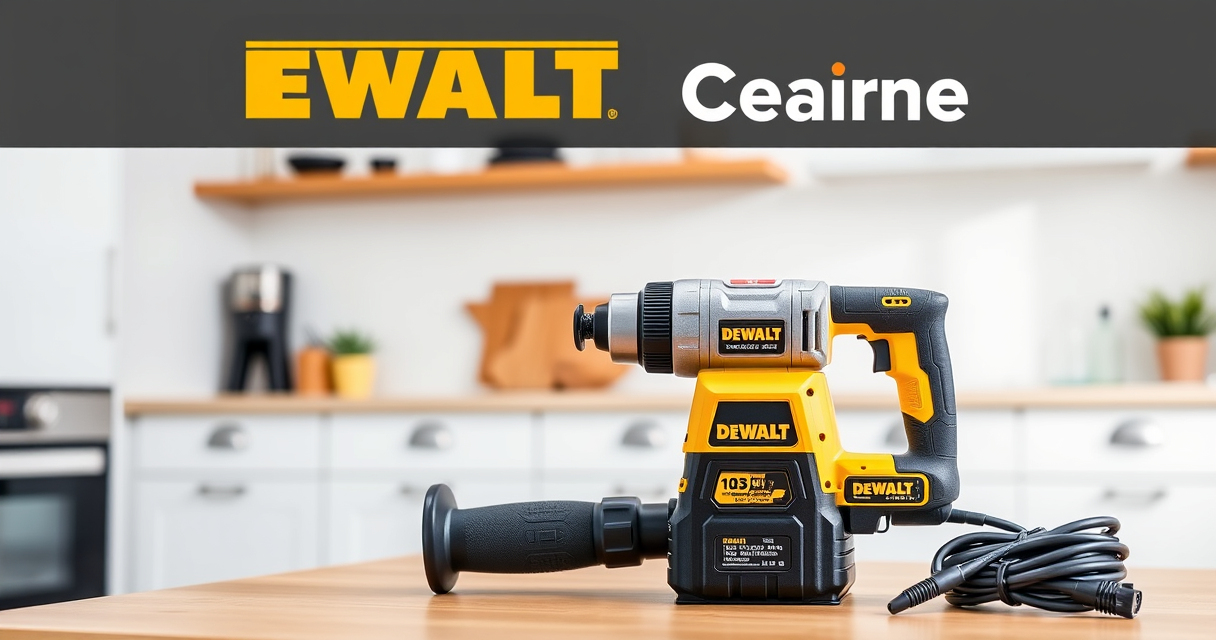

Maintaining your DEWALT power tools is essential to keep them running smoothly and to extend their lifespan. Whether you’re dealing with a drill that won’t hold a charge or experiencing reduced performance, regular maintenance and troubleshooting can save you time and money. This guide provides clear, step-by-step instructions on how to care for your DEWALT tools safely and effectively.

Get garden gear delivered free with Prime
- Fast, free delivery on millions of items
- Prime Video, Amazon Music and more included
- Member-only deals all year
We’ll cover common maintenance tasks for your cordless drills and batteries, troubleshooting tips for performance issues, and best practices to keep your tools in top condition. Follow these practical steps to ensure your DEWALT power tools remain reliable for all your projects.
Key Takeaways
| Regular Cleaning | Keep your tools free of dust and debris to prevent overheating and wear. |
| Battery Care | Properly charge and store batteries to maximize lifespan and performance. |
| Check Moving Parts | Inspect and lubricate for smooth operation, reducing wear and tear. |
| Troubleshoot Performance Issues | Identify and resolve common problems like reduced power or overheating. |
| Use Genuine Parts | Replace parts with authentic DEWALT accessories for safety and durability. |
Cleaning and Inspecting Your DEWALT Power Tools
- Unplug or remove the battery from your tool before cleaning.
- Use a soft brush or compressed air to remove dust and debris from vents, switches, and moving parts.
- Wipe the exterior with a damp cloth; avoid using harsh chemicals that can damage surfaces.
- Inspect the tool for any visible damage or loose parts, and tighten or replace as needed.
- Check the quick-release hex chuck for debris and clean with a brush or compressed air.
Regular cleaning prevents overheating, reduces wear, and keeps your tool operating efficiently. Always ensure the tool is off and disconnected from power before cleaning.
Maintaining and Charging Your Batteries
- Use only DEWALT chargers compatible with your batteries, such as the DCB115 or DCB118.
- Charge batteries in a cool, dry place and avoid leaving them in hot environments.
- Monitor the LED charge indicators; replace batteries that no longer hold a charge after multiple cycles.
- Store batteries partially charged if not in use for extended periods, typically around 40-60% capacity.
- Clean battery contacts with a dry cloth to ensure a good connection.
Proper battery maintenance ensures longer runtime and reduces the risk of failure. Avoid overcharging or completely discharging batteries regularly to prolong their lifespan.
Troubleshooting Common Performance Issues
- Drill Won’t Spin: Check the battery charge, ensure it’s properly seated, and inspect the chuck for debris. Replace the battery if necessary.
- Reduced Power or Overheating: Allow the tool to cool down; clean vents and check for debris obstructing airflow. Replace worn brushes or parts if needed.
- Bit Slips in Chuck: Tighten the chuck securely; replace worn or damaged bits and consider upgrading to a quick-release chuck if applicable.
- LED Not Working: Inspect the LED indicator and replace the light assembly if faulty.
Addressing these issues promptly helps maintain performance and prevents further damage. Always turn off and unplug the tool before troubleshooting.
Lubrication and Parts Replacement
Some moving parts, such as the chuck and gears, benefit from periodic lubrication. Use a light machine oil or DEWALT-approved lubricant, applying sparingly to avoid attracting dust.
If you notice excessive wear, replace worn brushes, chuck components, or other parts with genuine DEWALT replacements. Regularly inspecting these parts prevents unexpected breakdowns and keeps your tools functioning optimally.
Safety Tips and Best Practices
- Always disconnect power sources before maintenance or cleaning.
- Wear safety glasses and gloves when cleaning or repairing tools.
- Use authentic DEWALT parts and accessories to ensure safety and compatibility.
- Store tools in a dry, cool place away from moisture and extreme temperatures.
- Refer to the user manual for specific maintenance instructions and safety warnings.
Following safety precautions reduces the risk of injury and prolongs the life of your tools.
The Products in This Guide

DEWALT 20V MAX Cordless Drill and Impact Driver
- ✔ Dimensions: 7.6 inches front-to-back
- ✔ Max Speed: Variable speed trigger
- ✔ Ergonomics: Comfort grip included

DEWALT Drill Bit Set
- ✔ Length: Various
- ✔ Shank Type: 3-Flats
- ✔ Web Design: Tapered
DEWALT 20V MAX Cordless Drill and Impact Driver
The DEWALT 20V MAX Cordless Drill and Impact Driver set offers a compact, lightweight design with ergonomic comfort, making it ideal for tight spaces and prolonged use. Its brushless motors provide efficiency and durability, while the included batteries ensure extended runtime. Regular maintenance, including cleaning and battery care, will keep this versatile tool performing at its best for years to come.
Pros:
- Compact and lightweight design
- Brushless motors for efficiency
- Includes 2 batteries for extended use
- Bright LED for visibility in dark spaces
Cons:
- Battery life may vary based on usage
- Charger not included in all kits
- Limited to 20V system
Best for: DIY enthusiasts and professionals needing reliable, versatile drilling and impact solutions.
Not ideal for: Heavy-duty industrial applications requiring more robust power tools.
Bottom line: A versatile, reliable combo kit suitable for various projects with proper maintenance.
DEWALT Drill Bit Set
Pair your DEWALT drill with this 14-piece drill bit set, featuring a 135-degree split point for precise and efficient drilling into plastic, wood, and metal. The heavy-duty high-speed steel construction ensures durability and resistance to breakage, making it a valuable addition to your toolkit.
Pros:
- Wide variety of bits
- Durable high-speed steel
- Split point design for accuracy
- Corrosion-resistant coating
Cons:
- Limited to basic drilling tasks
- No carrying case included
- Not suitable for very heavy-duty industrial use
Best for: Home repairs, woodworking, and light metalworking projects.
Not ideal for: Heavy industrial or high-torque applications.
Bottom line: A versatile drill bit set that enhances the performance of your DEWALT drill for various materials.
Frequently Asked Questions
How often should I clean my DEWALT power tools?
It’s best to clean your tools after each use, especially if used in dusty environments. Regular cleaning prevents overheating and extends the lifespan of your tools.
Can I use any charger to recharge my DEWALT batteries?
Only use DEWALT-compatible chargers such as the DCB115 or DCB118 to ensure safe and efficient charging. Using incompatible chargers can damage the battery or reduce its lifespan.
What should I do if my drill stops working unexpectedly?
First, check the battery charge and connections. Inspect for debris in the chuck or vents. If problems persist, troubleshoot for worn brushes or damaged parts, and consider professional repair if needed.
How can I prolong the life of my batteries?
Store batteries in a cool, dry place partially charged, and avoid full discharges or overcharging. Regularly clean the contacts and use the recommended chargers to maintain battery health.
Is it safe to lubricate the moving parts of my DEWALT tools?
Yes, but only use recommended lubricants like light machine oil. Lubricate sparingly and avoid over-application to prevent dust attraction and buildup.
Keep Your DEWALT Power Tools in Peak Condition
Regular maintenance and troubleshooting are key to ensuring your DEWALT power tools remain reliable and efficient. By following these simple steps, you can prevent common issues and extend the lifespan of your equipment, saving you time and money in the long run. Remember to always prioritize safety and use genuine parts for repairs and replacements, and your tools will serve you well for years to come.
Affiliate disclosure: As an Amazon Associate we earn from qualifying purchases. Prices and availability are accurate as of the time of publishing.
Fall Picks
fall essentials
As an affiliate, we earn on qualifying purchases.